Case Study · AI SaaS
Juno: Turning an abstract AI product into a story buyers get in 30 seconds
Juno had a powerful AI product and a site that undersold it. We rebuilt the story, the design system and all nine pages around one idea: show the work, don’t describe it.
- Client
- Juno
- Industry
- AI / B2B SaaS
- Services
- Brand direction, Web design, Design system, Development
- Timeline
- 1 week
The challenge
Powerful product. Unclear story.
Juno had a powerful product and a website that didn’t explain it. “AI assistant” is a crowded, vague category, and B2B buyers need to understand a product like this and trust it before they hand it real work.
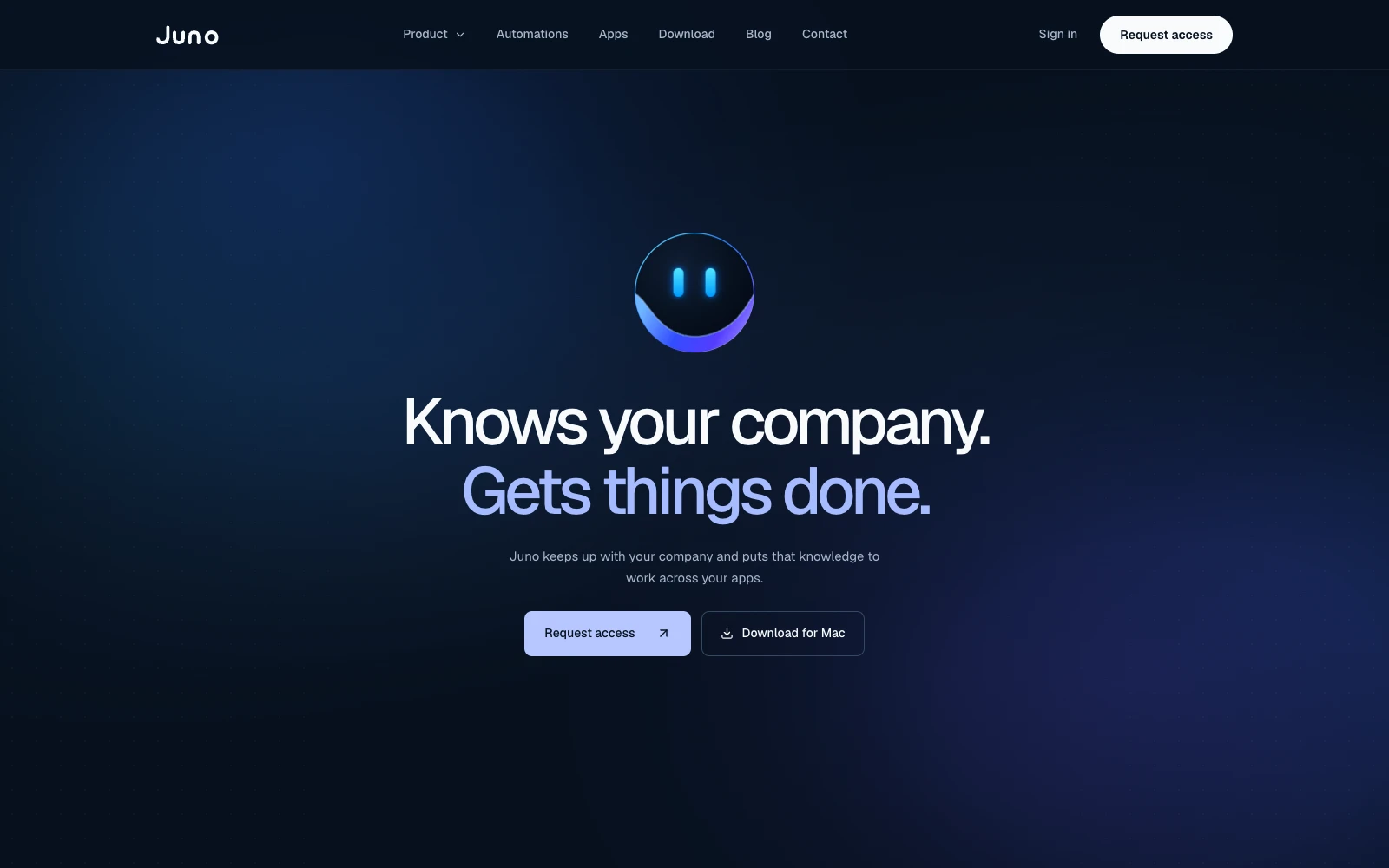 Before
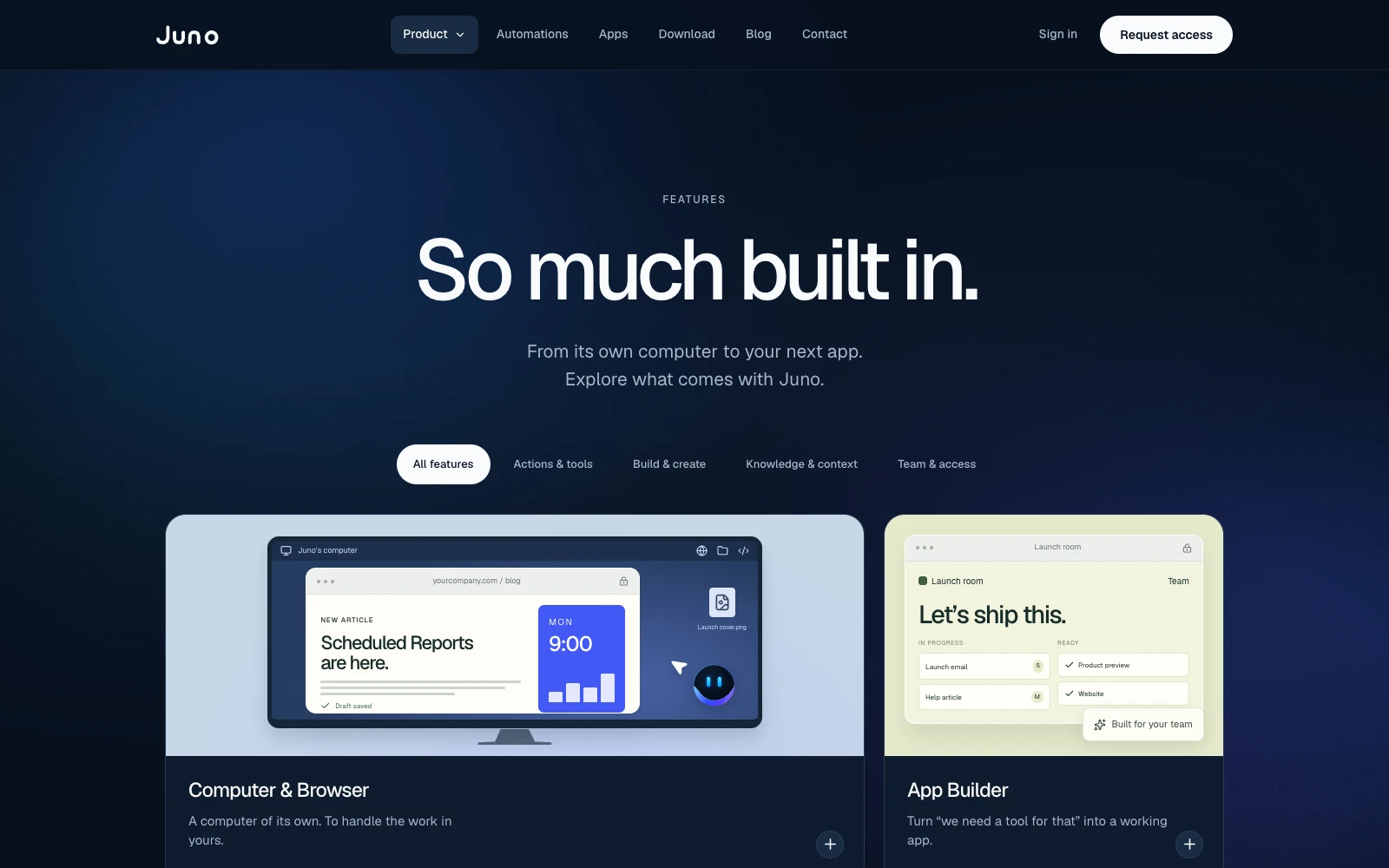 Before
The shift
Same promise. A whole new story.
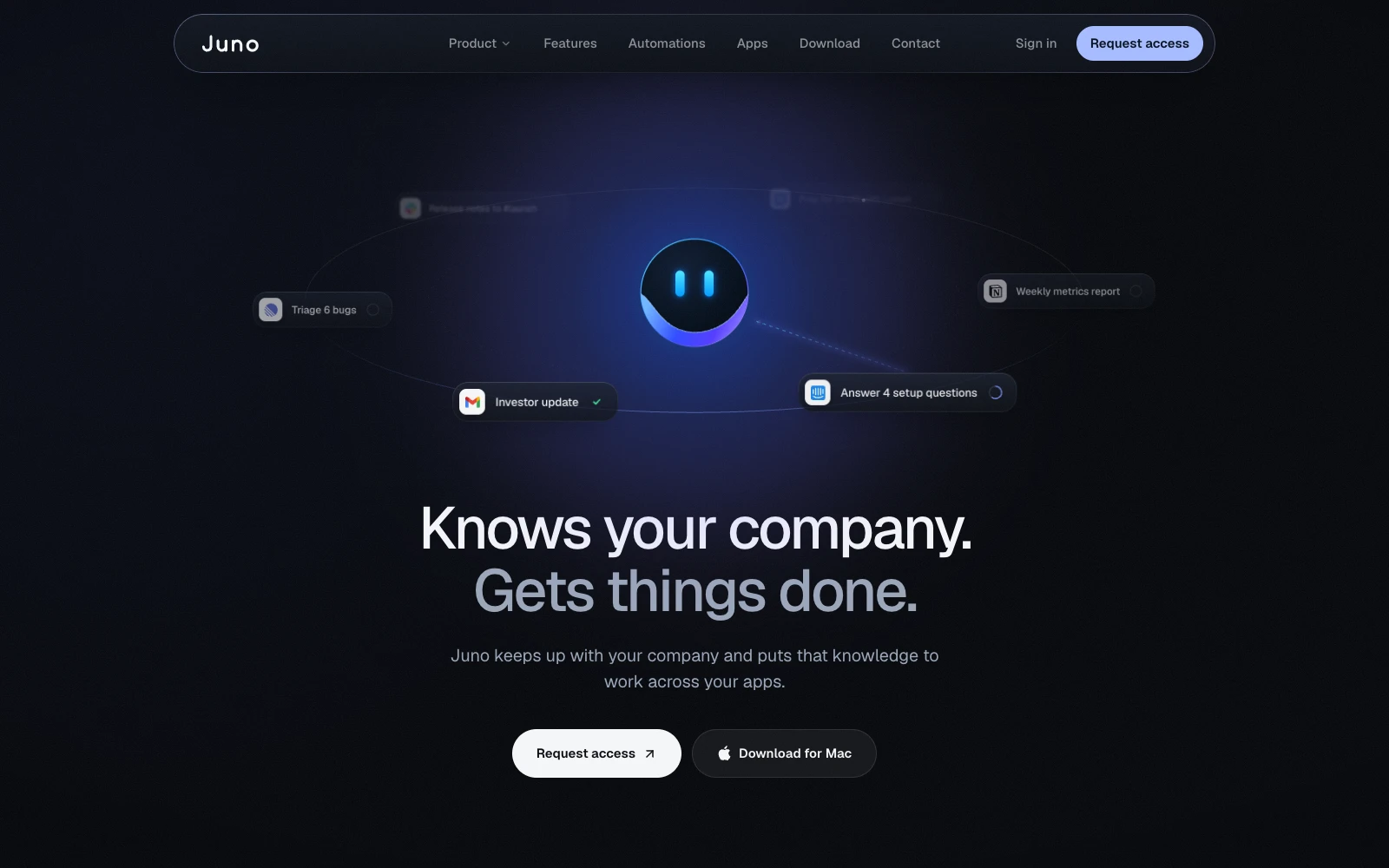
In one week, we kept the promise and changed everything around it: what visitors see first, how the product proves itself, and how all nine pages hold together.
Drag to compare the old runjuno.ai homepage with ours.
- 01
Pain before pitch
The old homepage opened on the promise. Ours opens on the overdue alerts every founder recognizes, then makes Juno the answer.
- 02
Shown, not told
Apps, Juno’s own computer and automations now run as live UI in one sequence, so visitors watch the product work.
- 03
One story, nine pages
One cast and one design system run through every page, where the old site introduced new sample brands section by section.
The goals
Clear. Trusted. Premium.
Explain Juno without jargon
Build trust in an AI that acts on your behalf
Feel premium and confident, not like another generic AI landing page
Our approach
Rules first. Pages second.
We started with tone and design guidelines, then designed the homepage, then rolled the system out across all nine pages.
Key decisions
- 01Dark mode only
- 02A storytelling, animation-heavy homepage
- 03A mascot that animates but never changes shape
- 04Placeholder logos and testimonials so the structure could ship before content was ready
The homepage
A story, not a feature list.
We built the homepage to read like a story, not a feature list.
- 01 / 06
We opened on the pain
BeforeThe old homepage opened straight on the product promise.
Now“You started a company. Now it runs you.” A pile of overdue Slack, Gmail, HubSpot, and Linear alerts makes the pain instantly familiar.
juno-lovat.vercel.app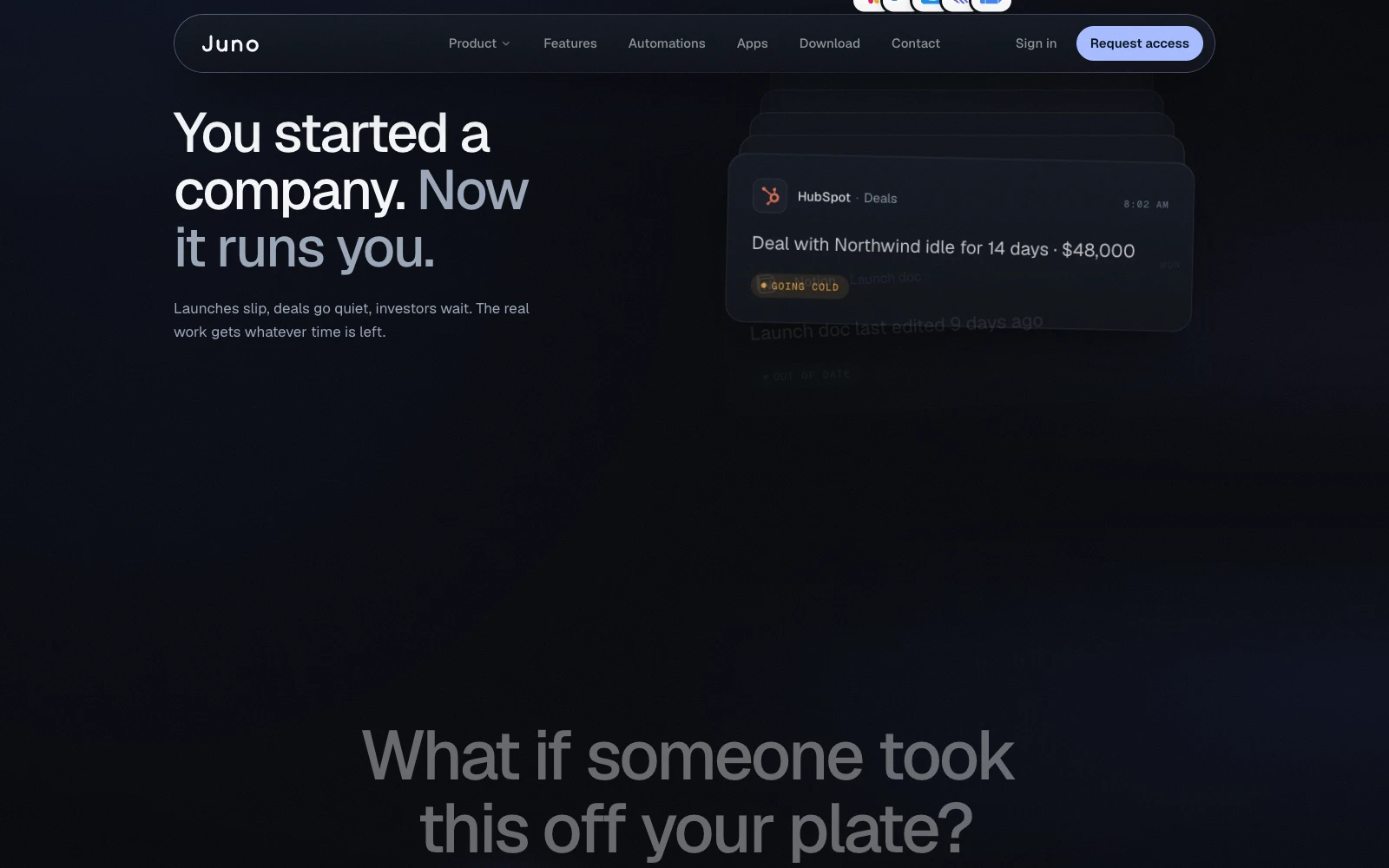
- 02 / 06
Then made Juno the answer
BeforeThe product arrived before the problem did.
Now“What if someone took this off your plate? That’s Juno.”
juno-lovat.vercel.app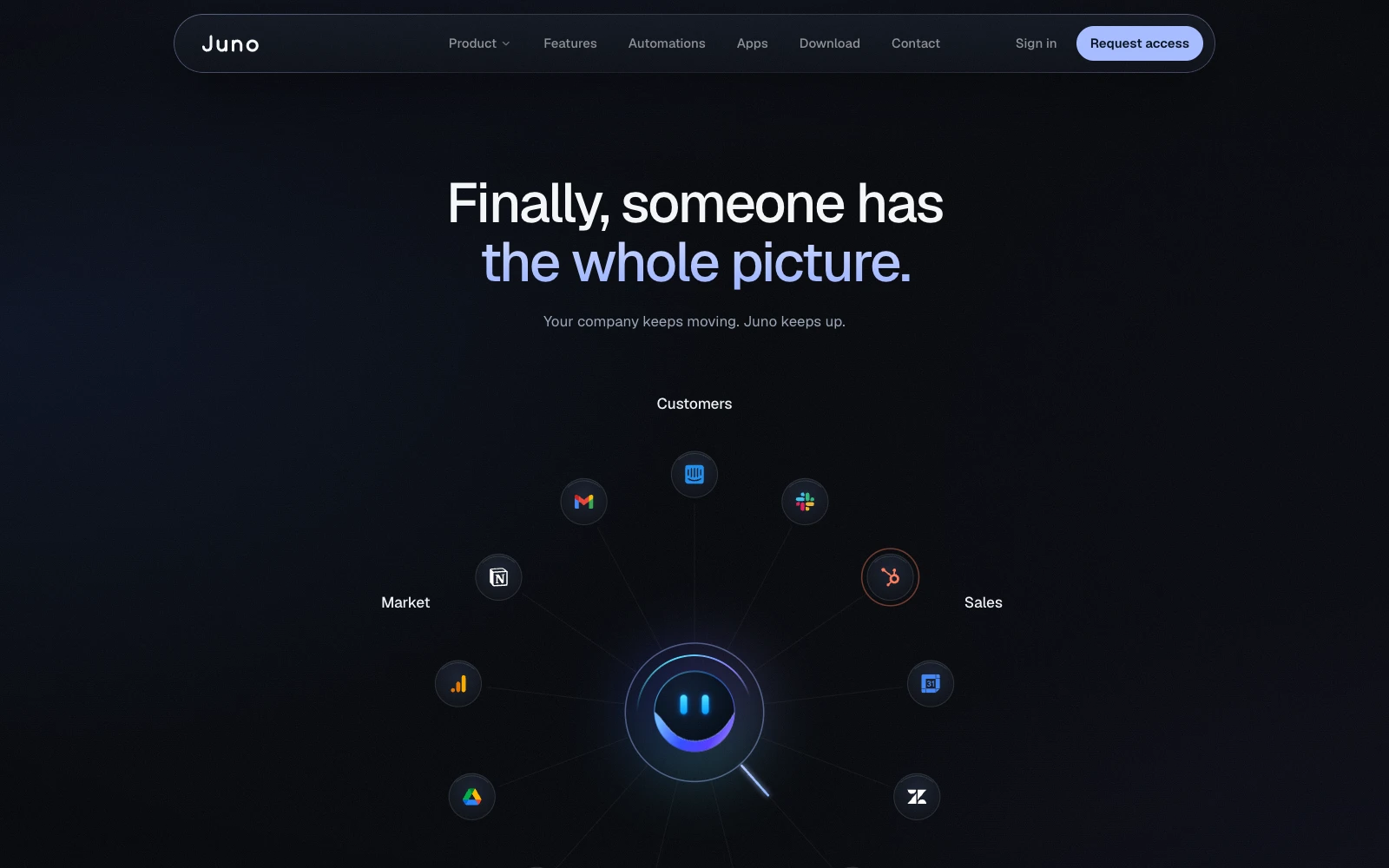
- 03 / 06
We showed it working
BeforeJuno’s own computer sat near the end of the page, after the integrations.
NowApps built from a sentence, Juno’s own computer for tools with no integration, and automations that run on a schedule, back to back.
juno-lovat.vercel.app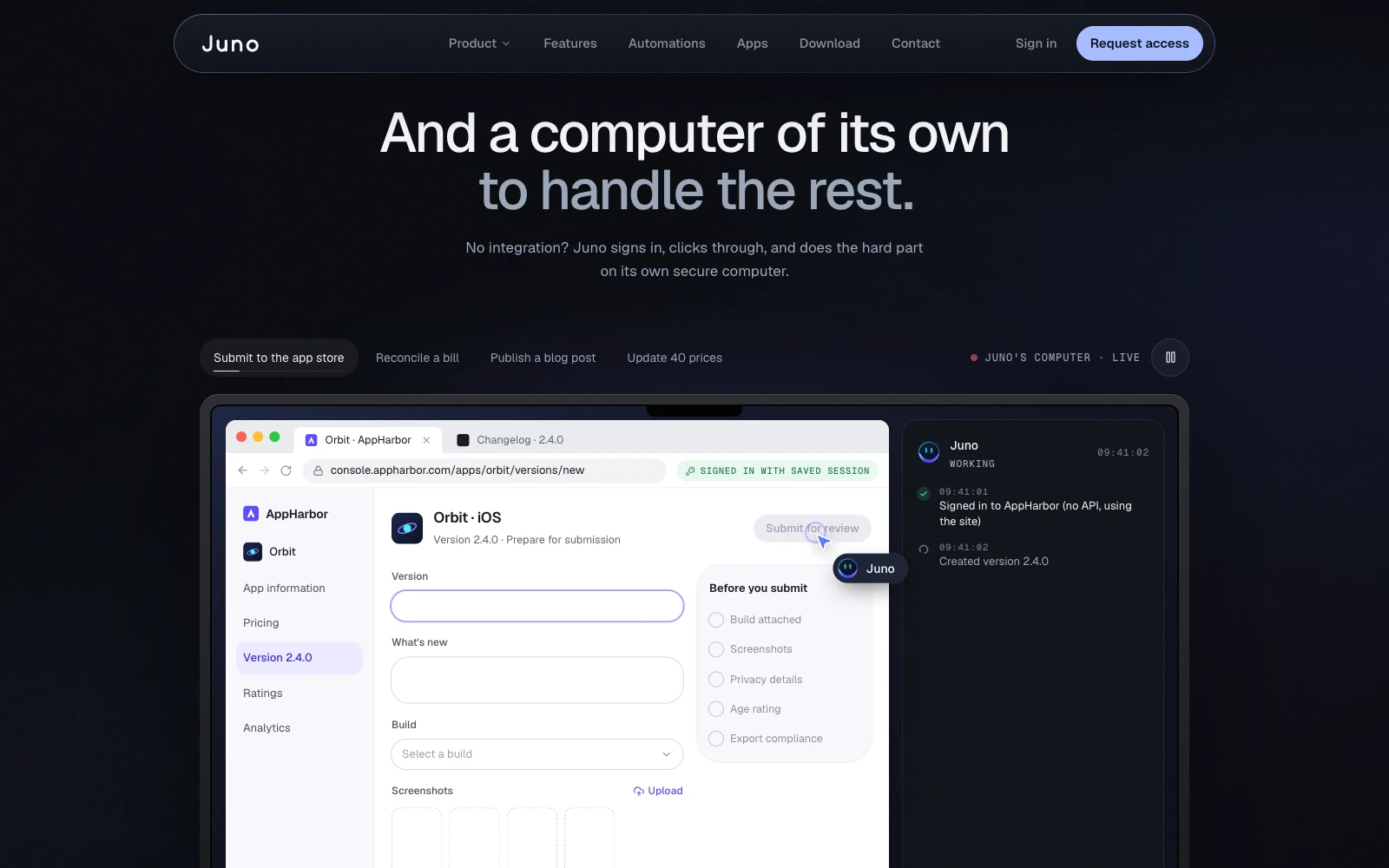
- 04 / 06
One stack, one teammate
BeforeWe kept this line from the old site.
Now“Your whole stack. One Juno.” Ask in one tool, get it done in another.
juno-lovat.vercel.app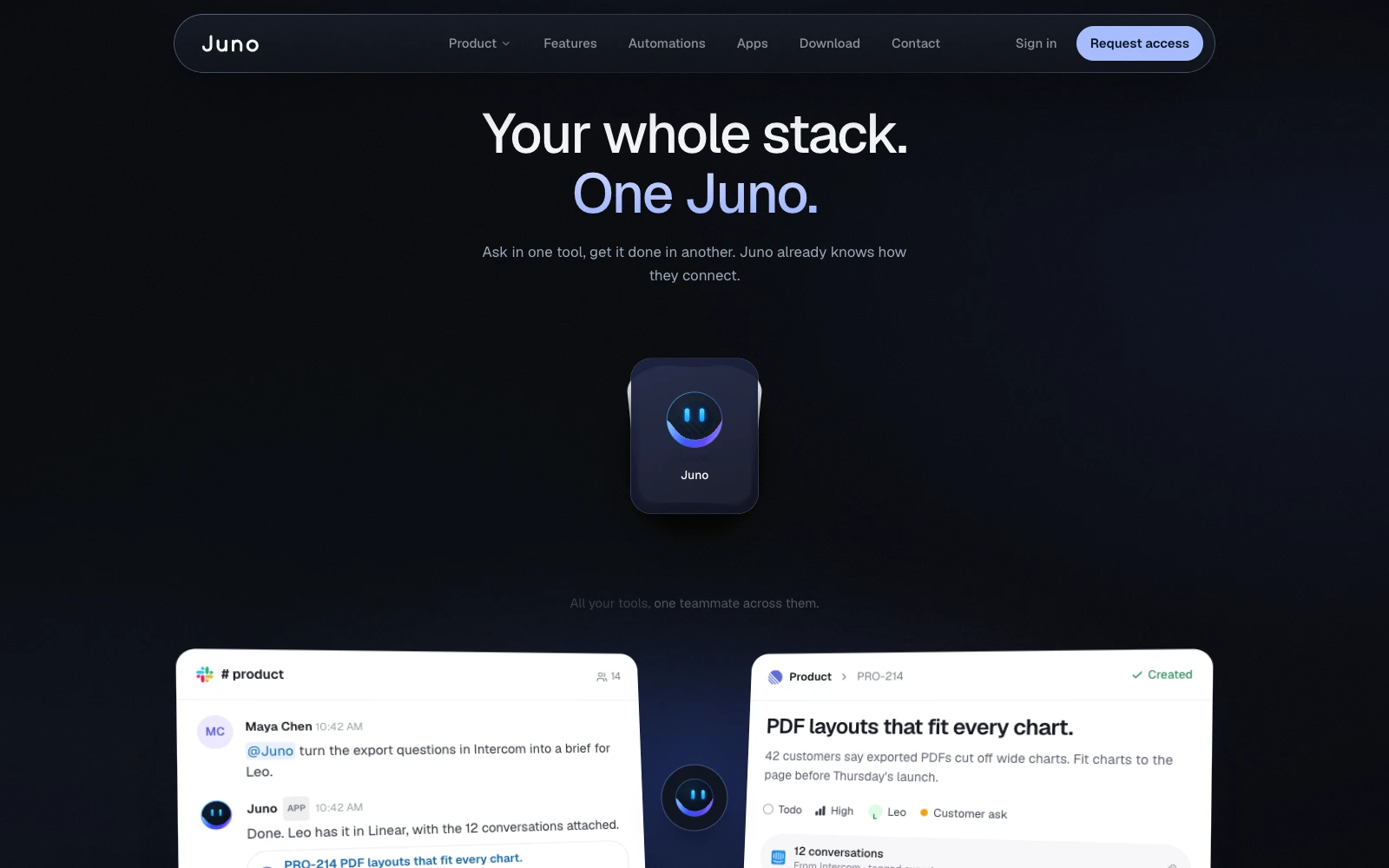
- 05 / 06
We turned the FAQ into a demo
BeforeThe old homepage had no FAQ at all.
NowJuno answers the questions in a chat, so the FAQ itself demonstrates the product.
juno-lovat.vercel.app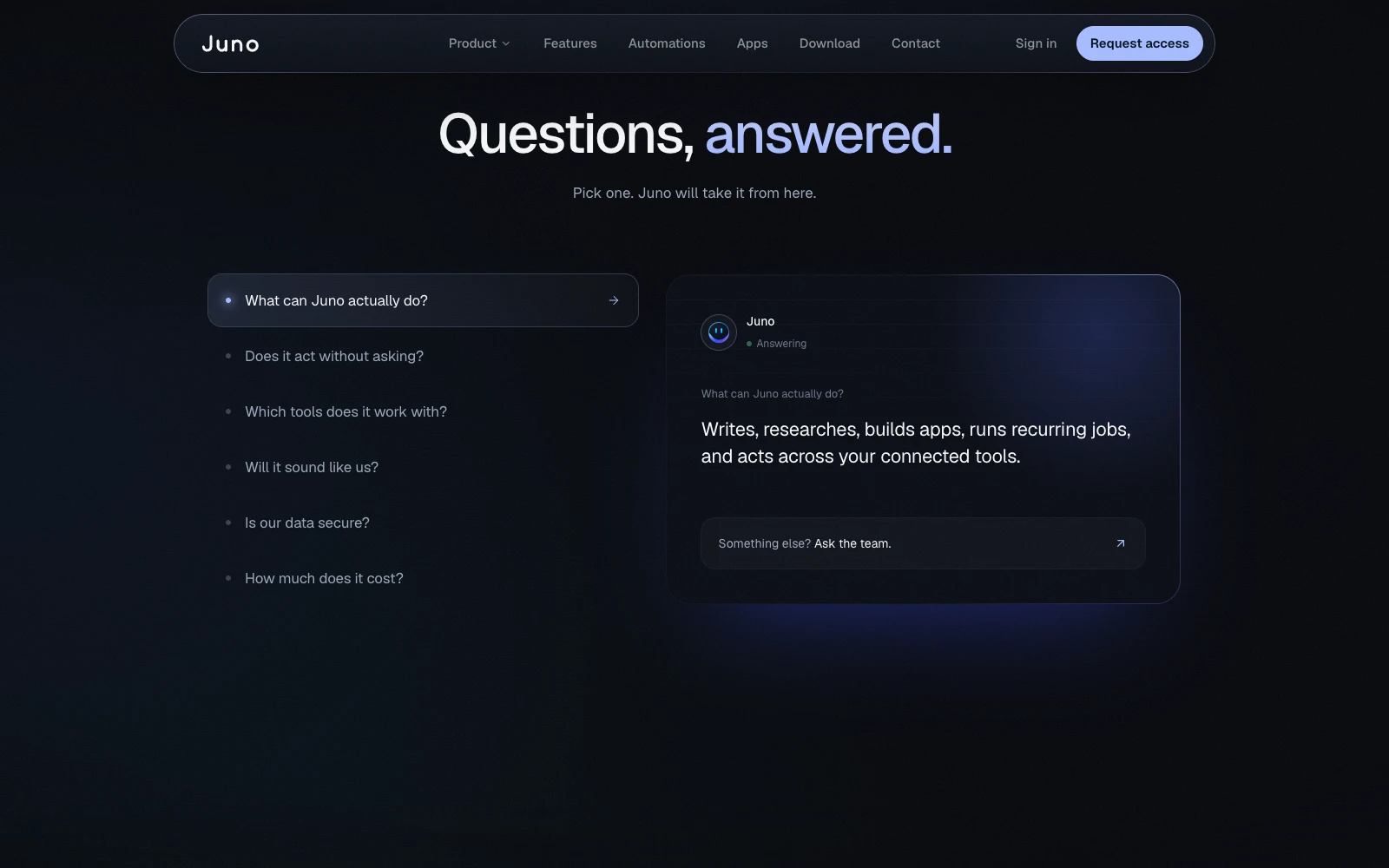
- 06 / 06
And closed on action
BeforeIt ended on “Imagine having Juno on your team.”
Now“Put Juno to work.”
juno-lovat.vercel.app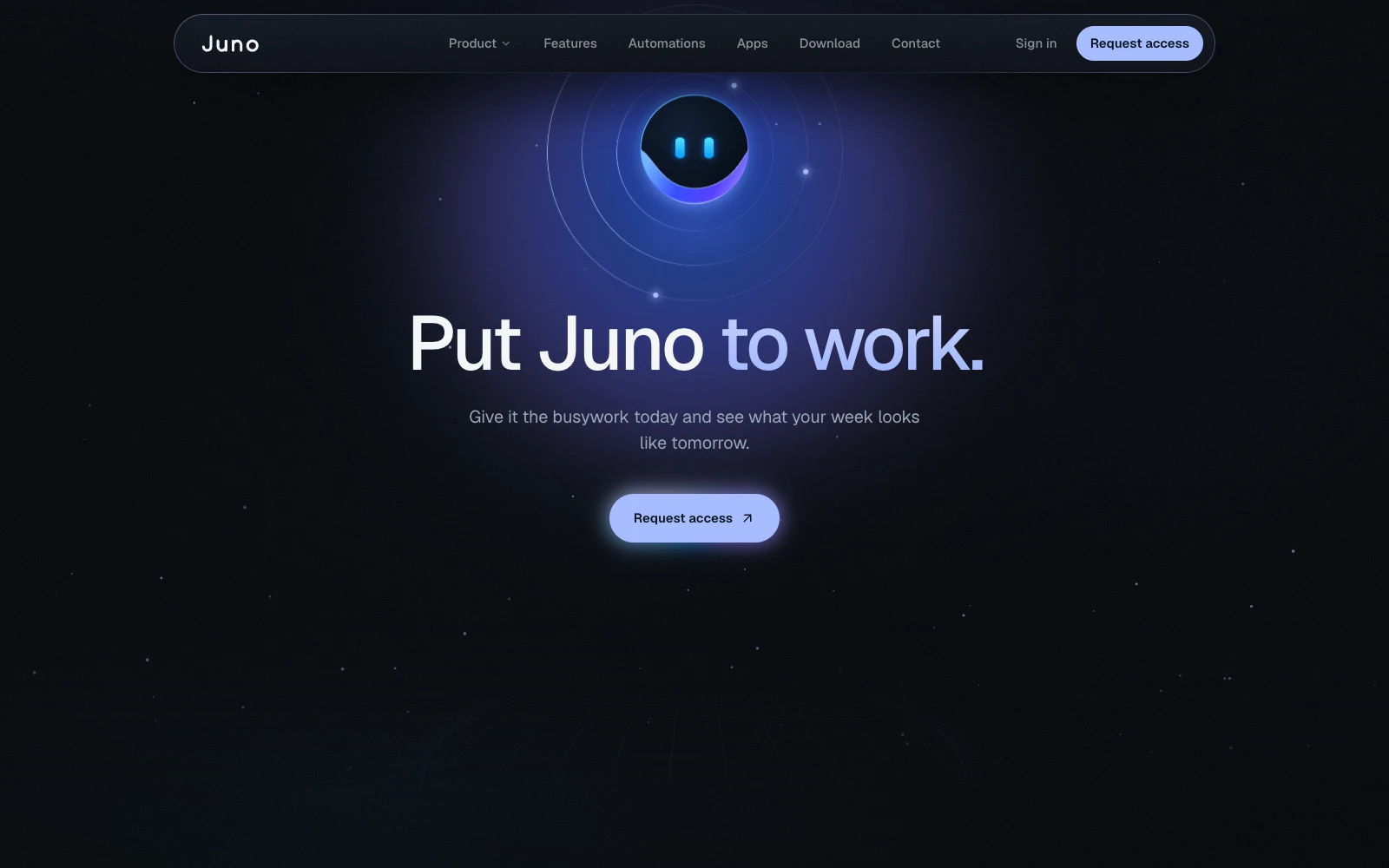
Capabilities, up close
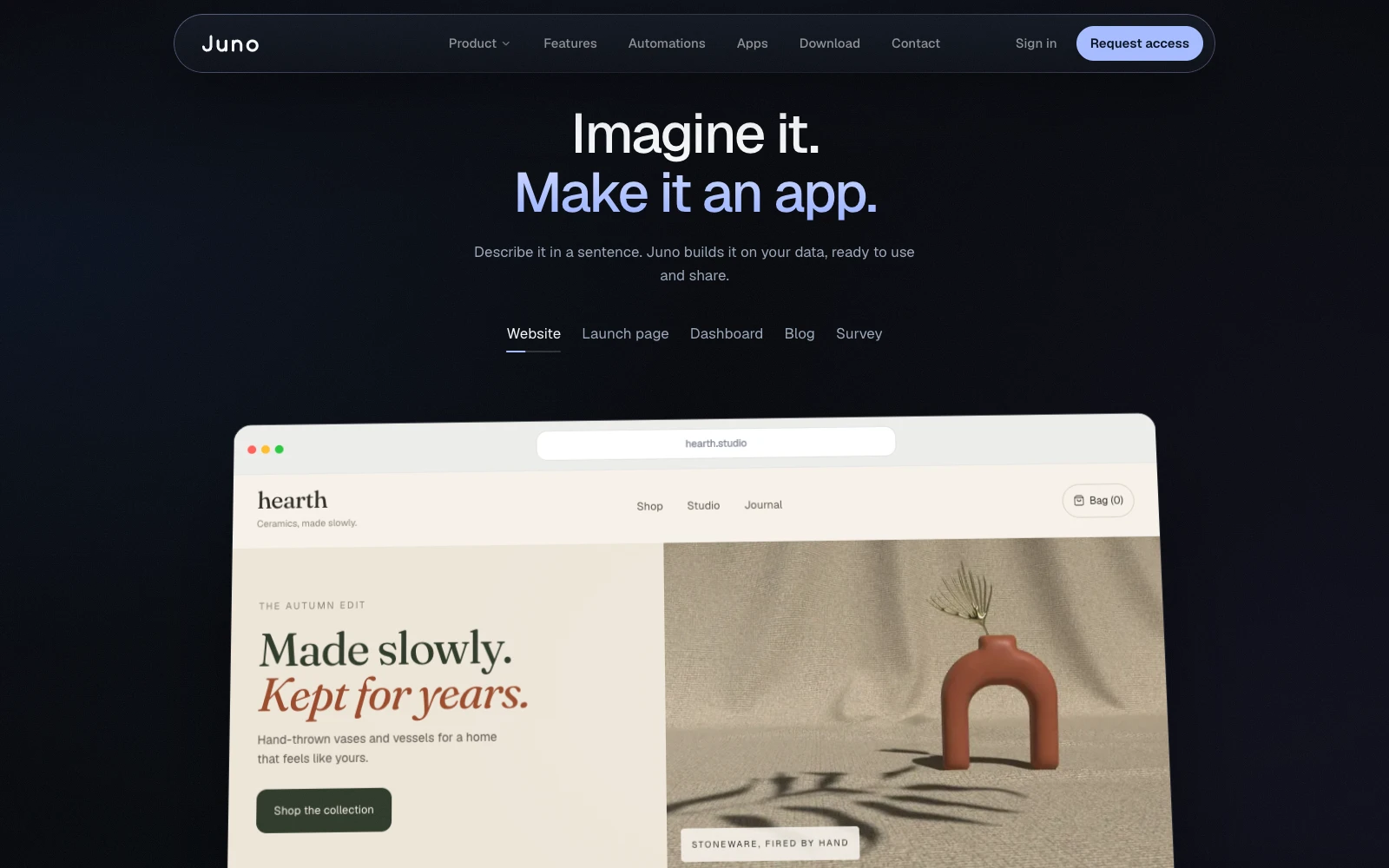
Apps from a sentence
A computer of its own
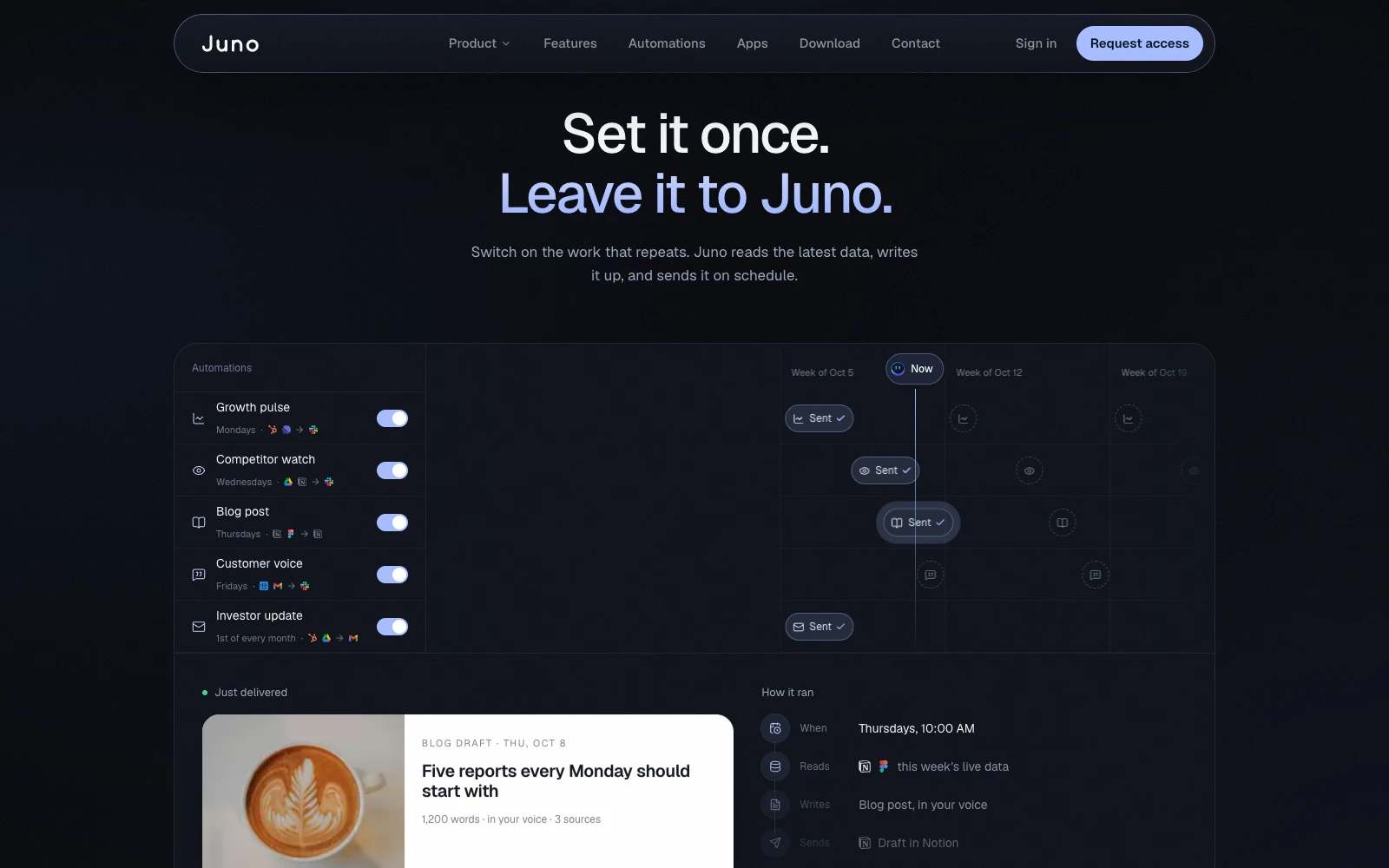
Automations on a schedule
The full site
Nine pages. One system.
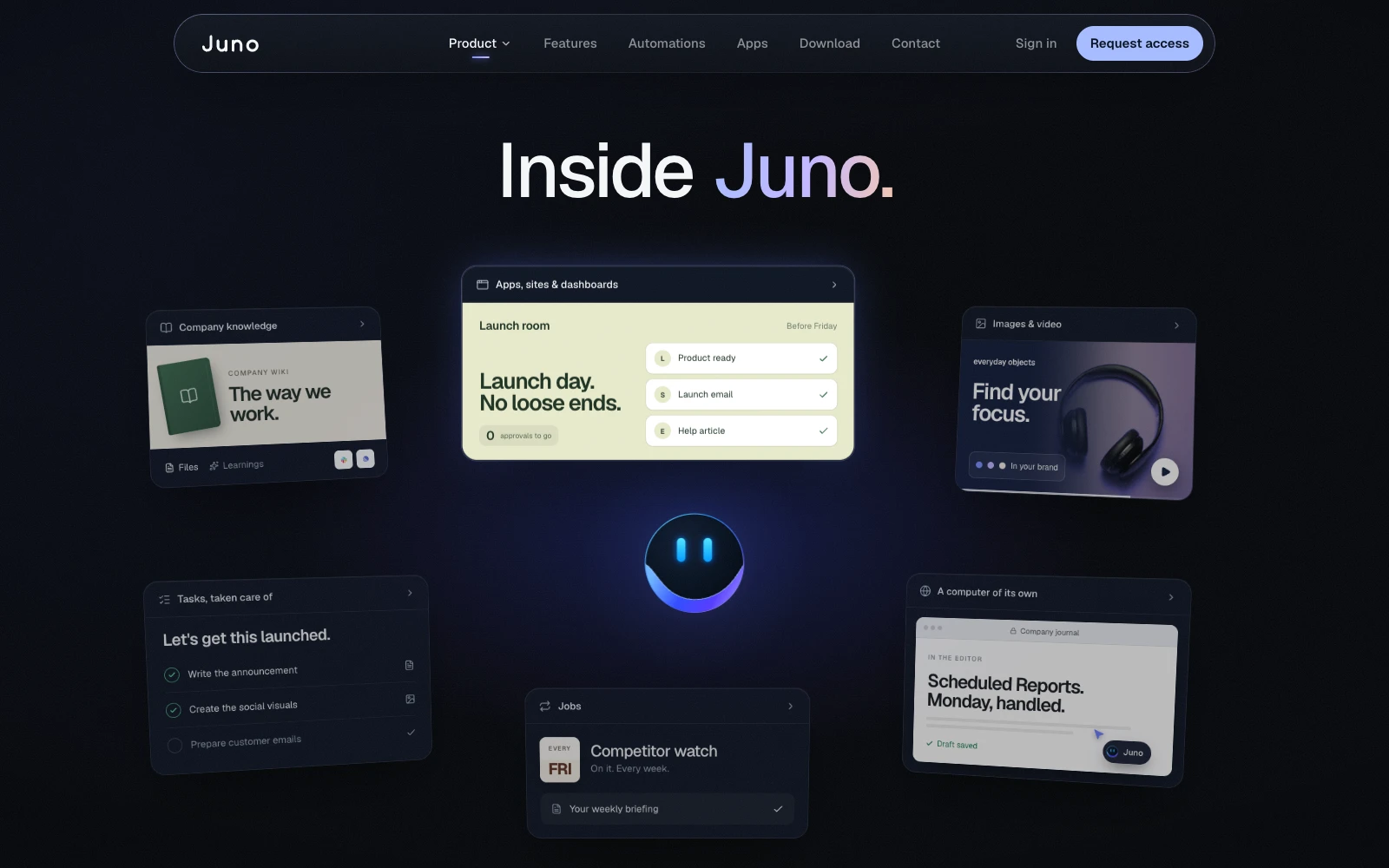
Product
“Inside Juno.”
A full product tour told through one feature launch.
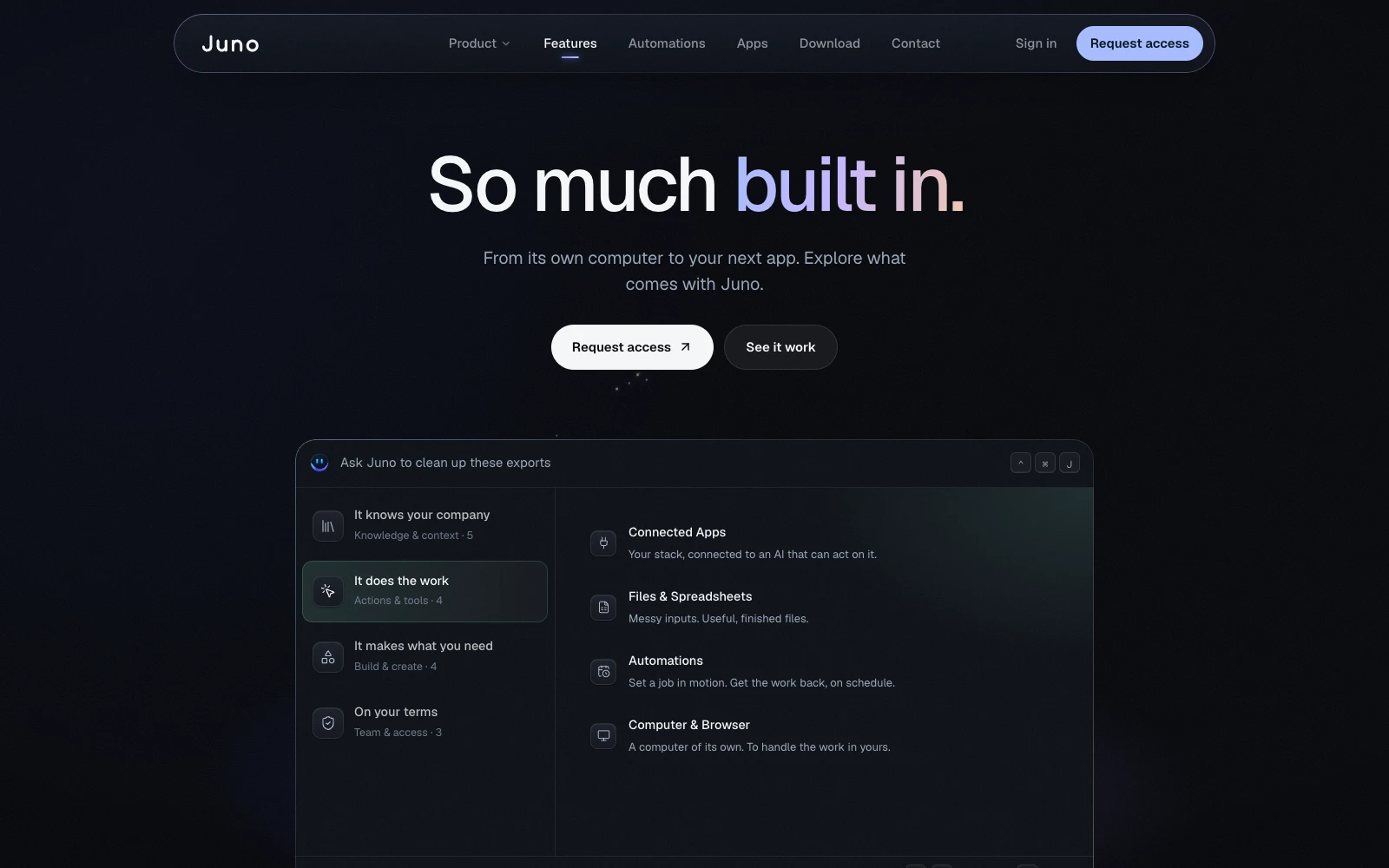
Features
“So much built in.”
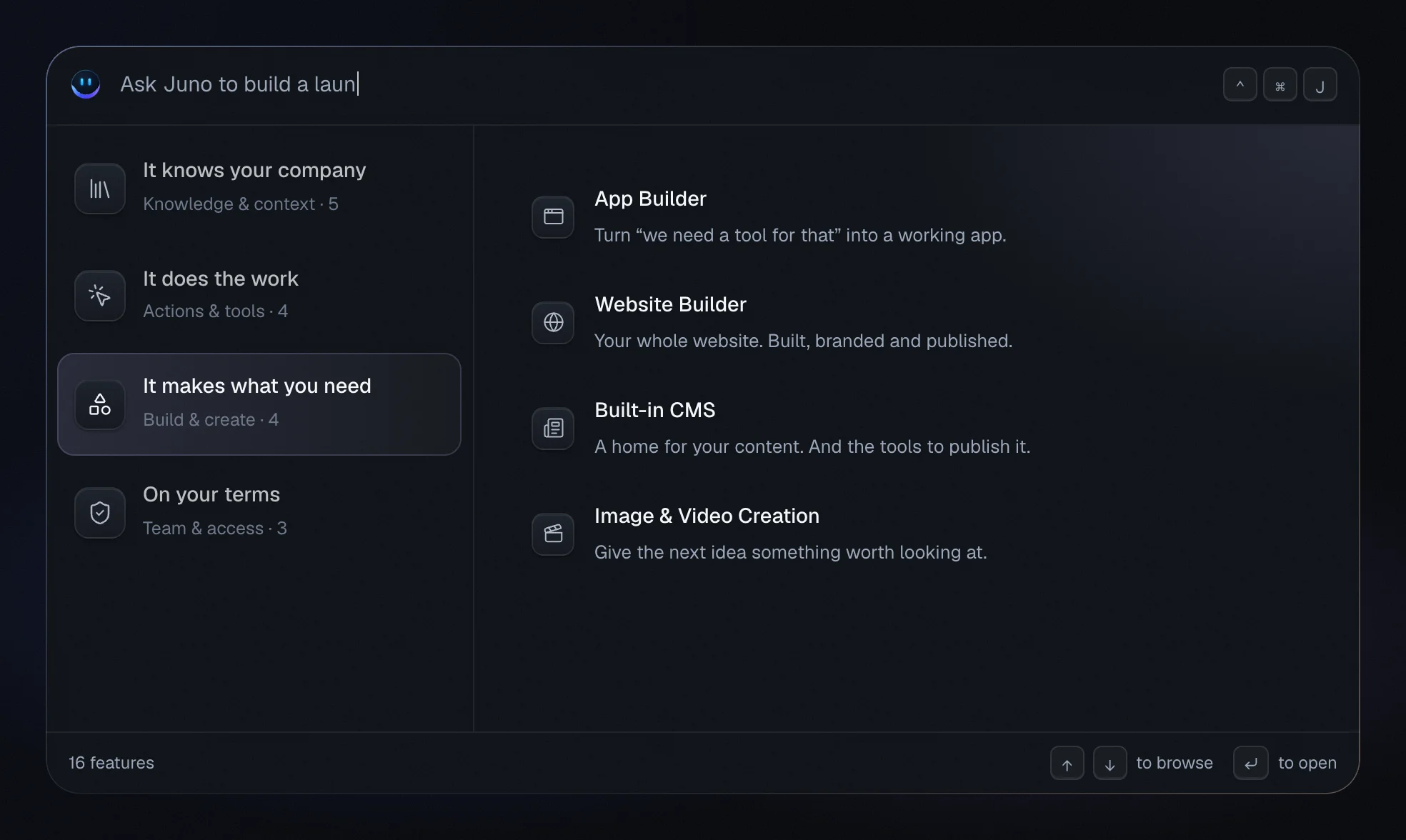
16 features in a ⌃⌘J command-palette browser, grouped by what they do for you.
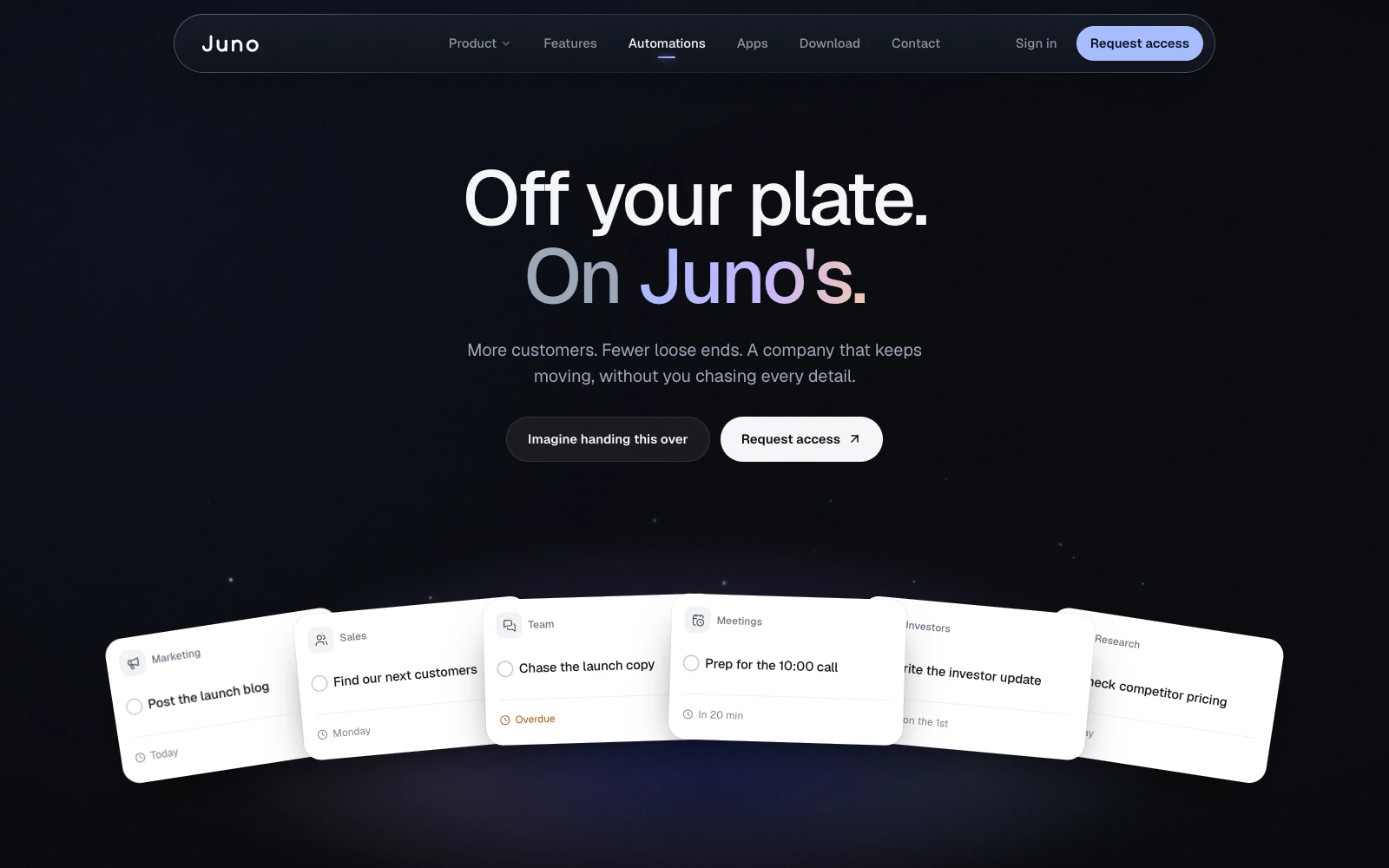
Automations
“Off your plate. On Juno’s.”
12 recurring jobs, framed as worries you can hand off.
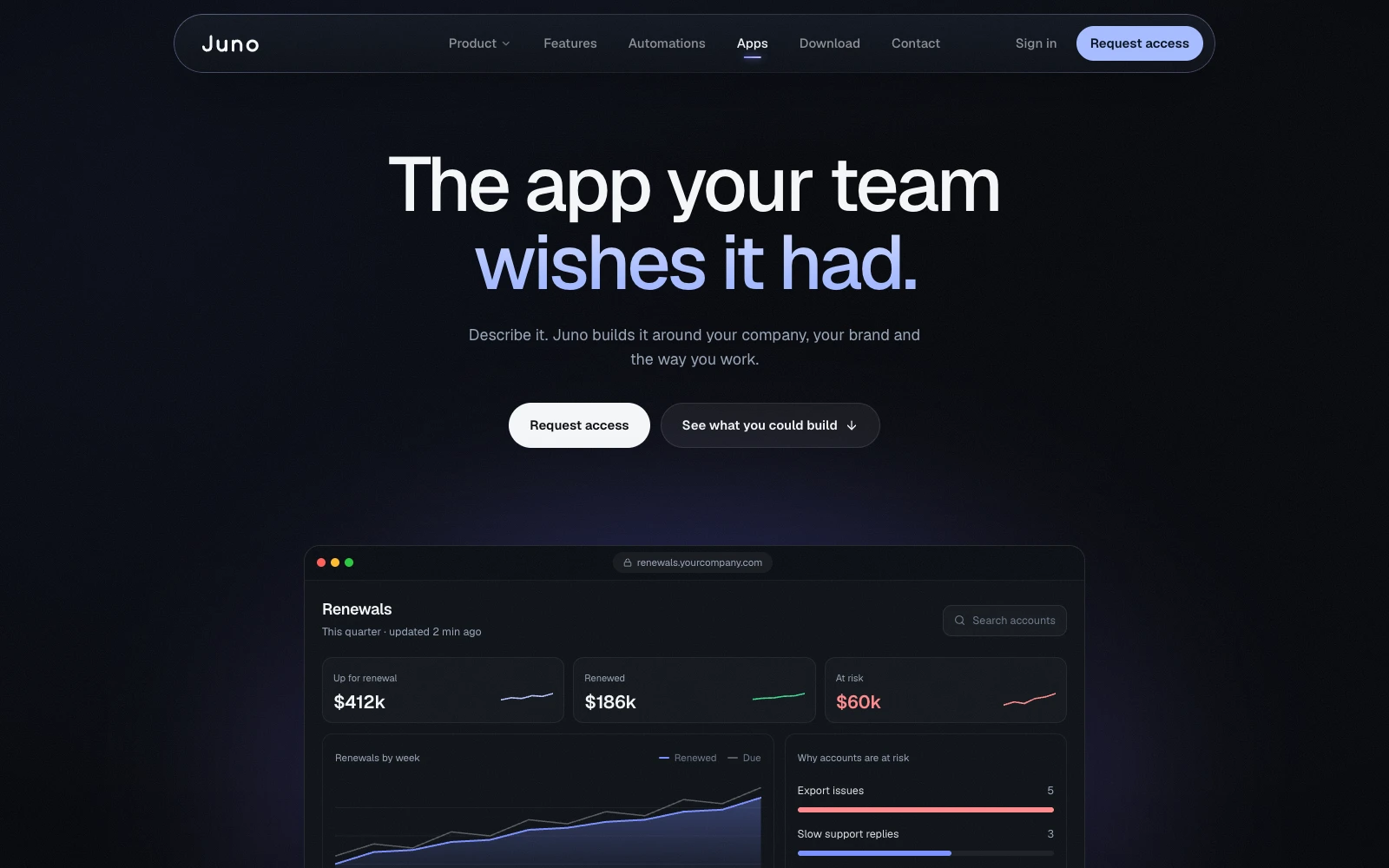
Apps
“The app your team wishes it had.”
Six working mini-apps, including an ROI calculator that actually calculates.
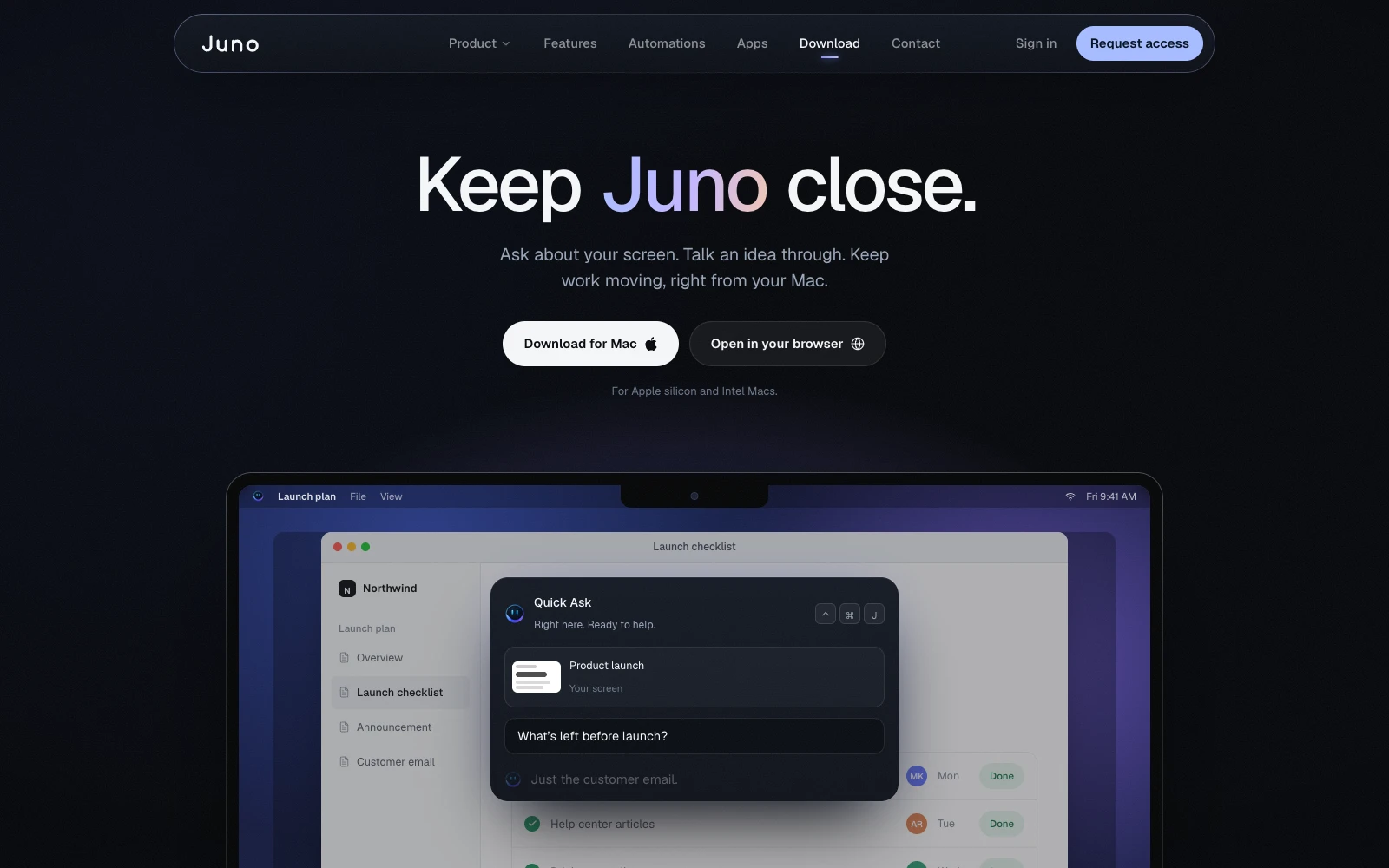
Download
“Keep Juno close.”
The keyboard shortcut is the hero, not the app icon.
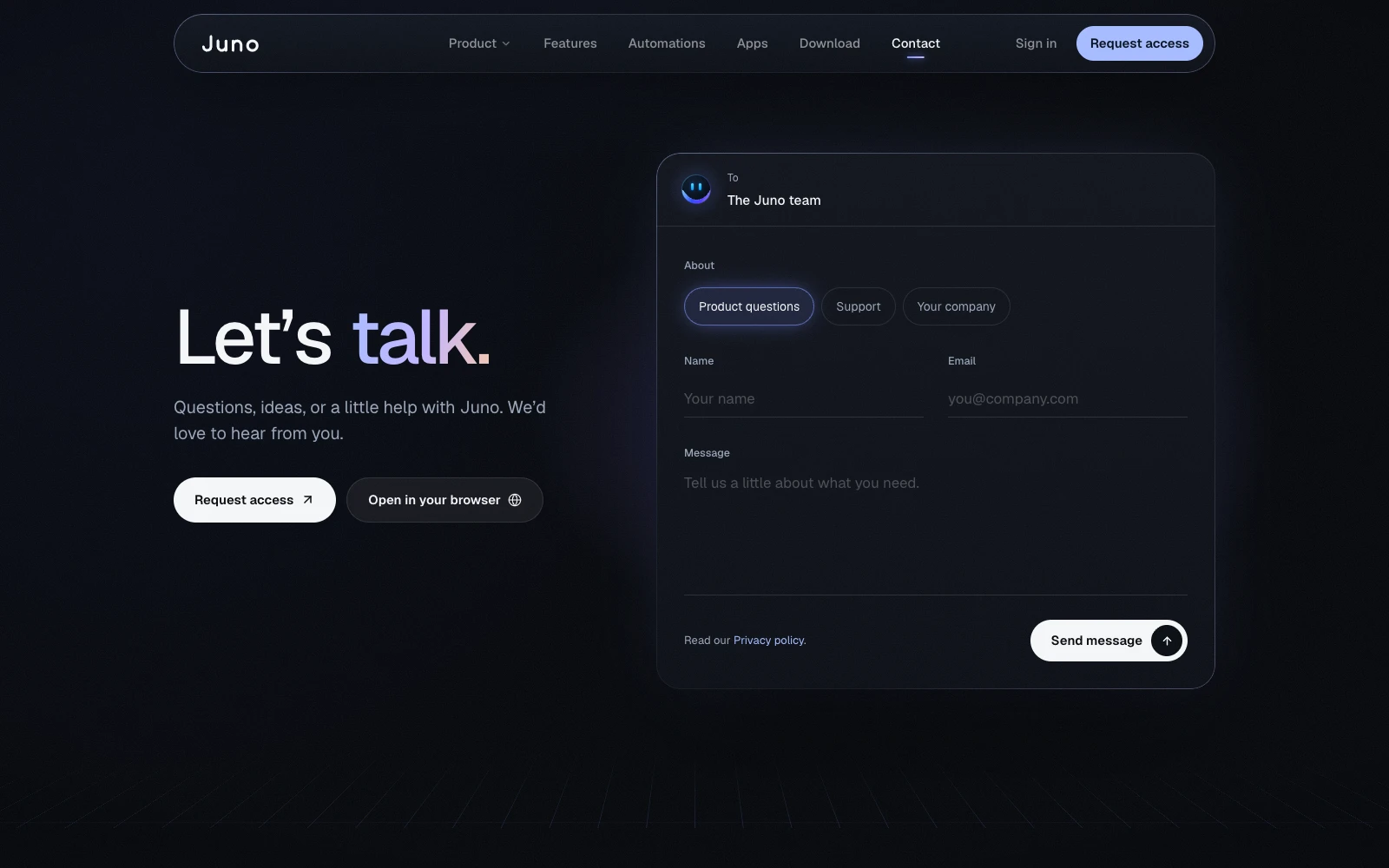
Contact
“Let’s talk.”
A form styled like writing an email.
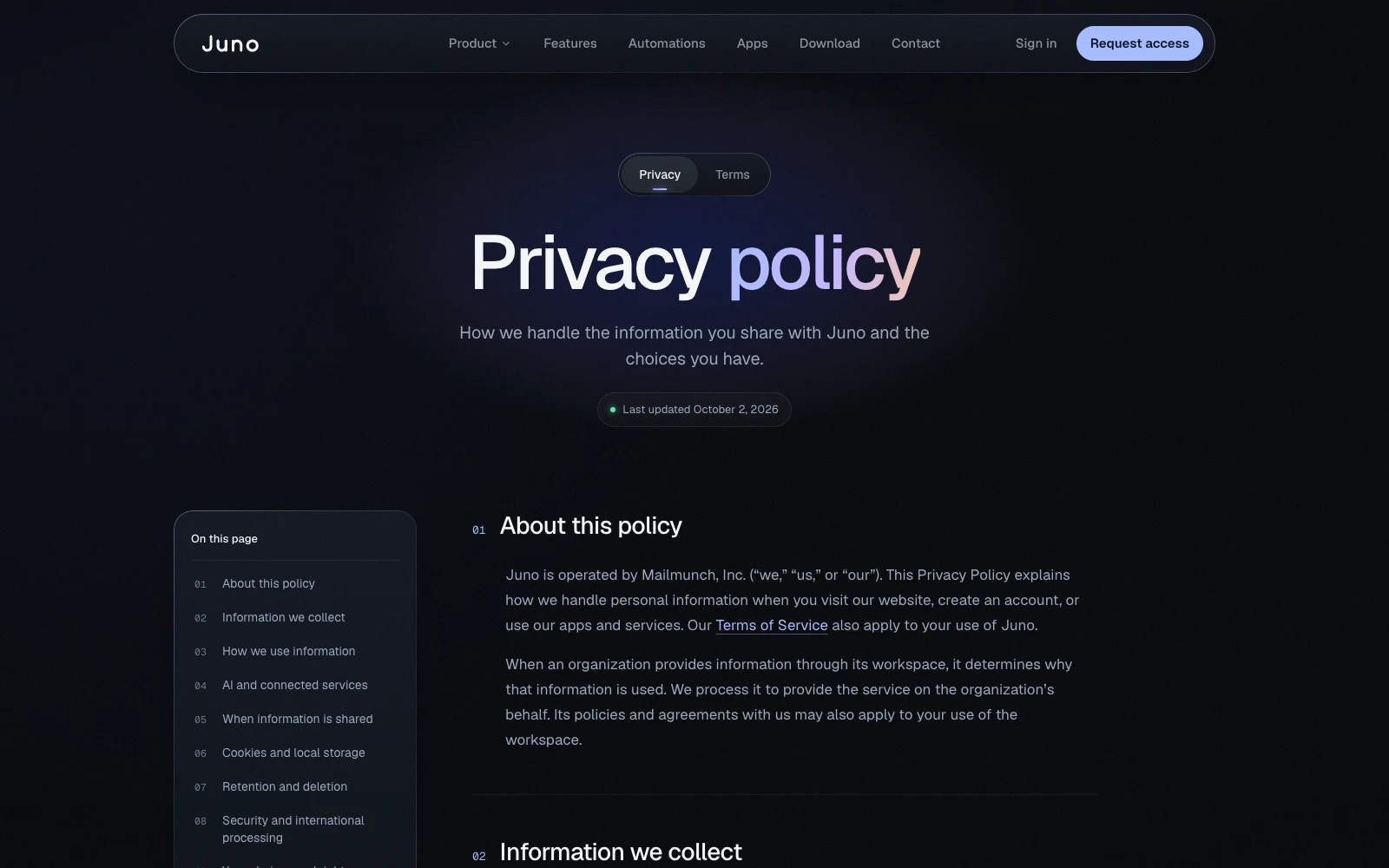
Privacy and Terms
“Privacy policy.”
One readable template with a sticky table of contents.
The details
Small things. Big trust.
Needs your yes
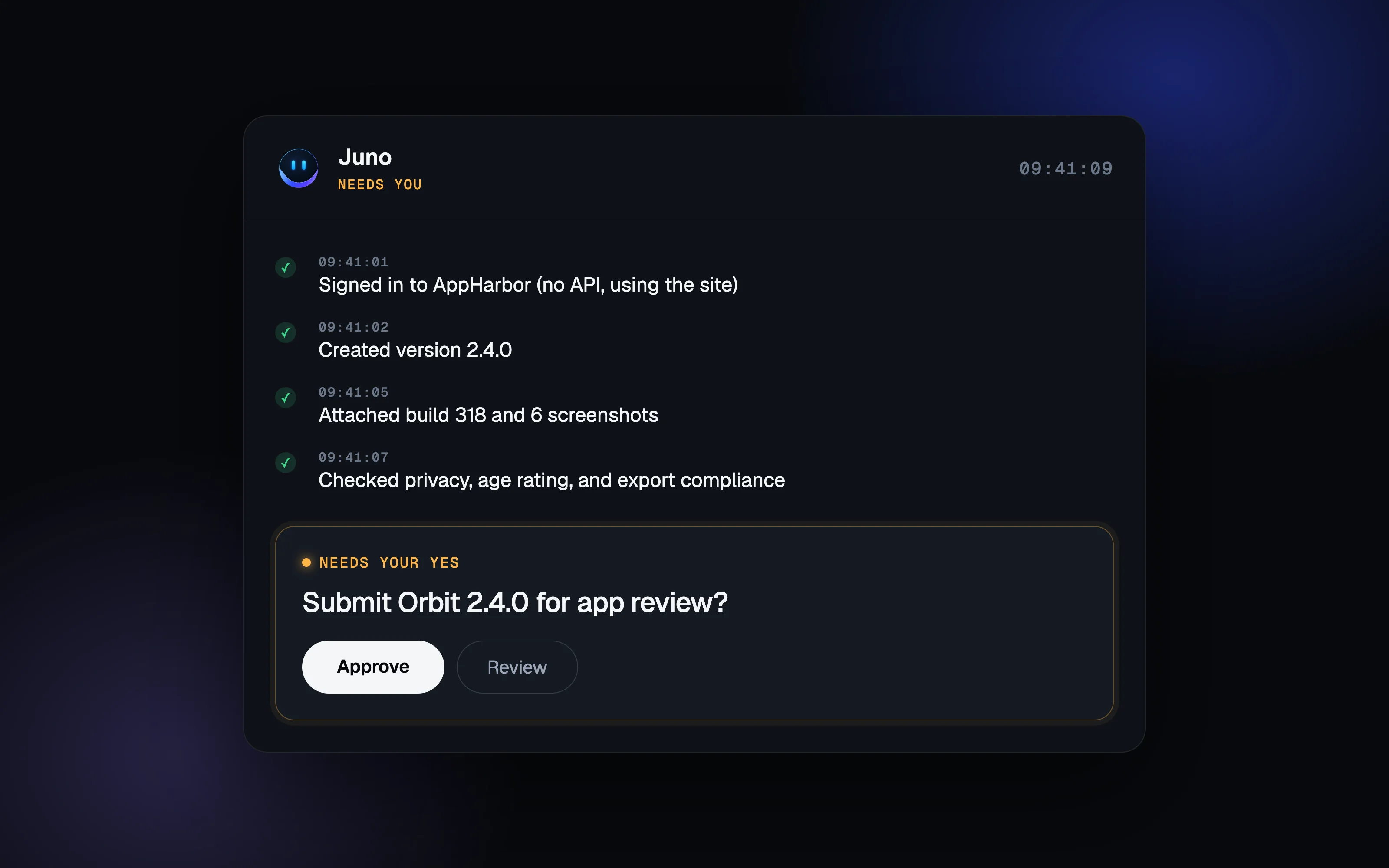
An approval card repeats on every page, so trust is shown, not just claimed.
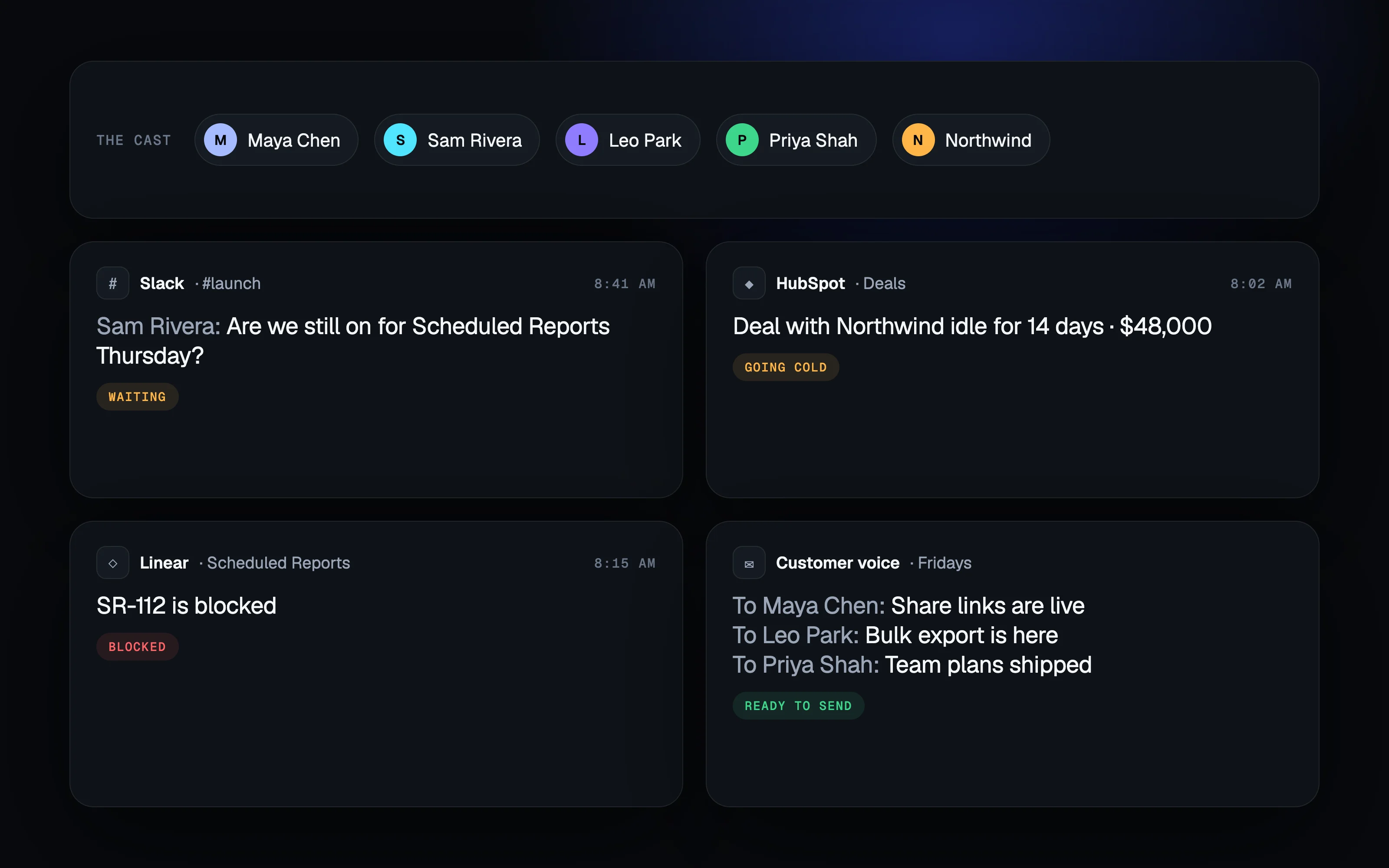
One fictional company
The same people (Maya, Sam, Leo, Priya), customer (Northwind), and launch (Scheduled Reports) run through all nine pages. The old homepage brought in new sample brands section by section.
Live UI instead of screenshots
Animation explains; it never just decorates.
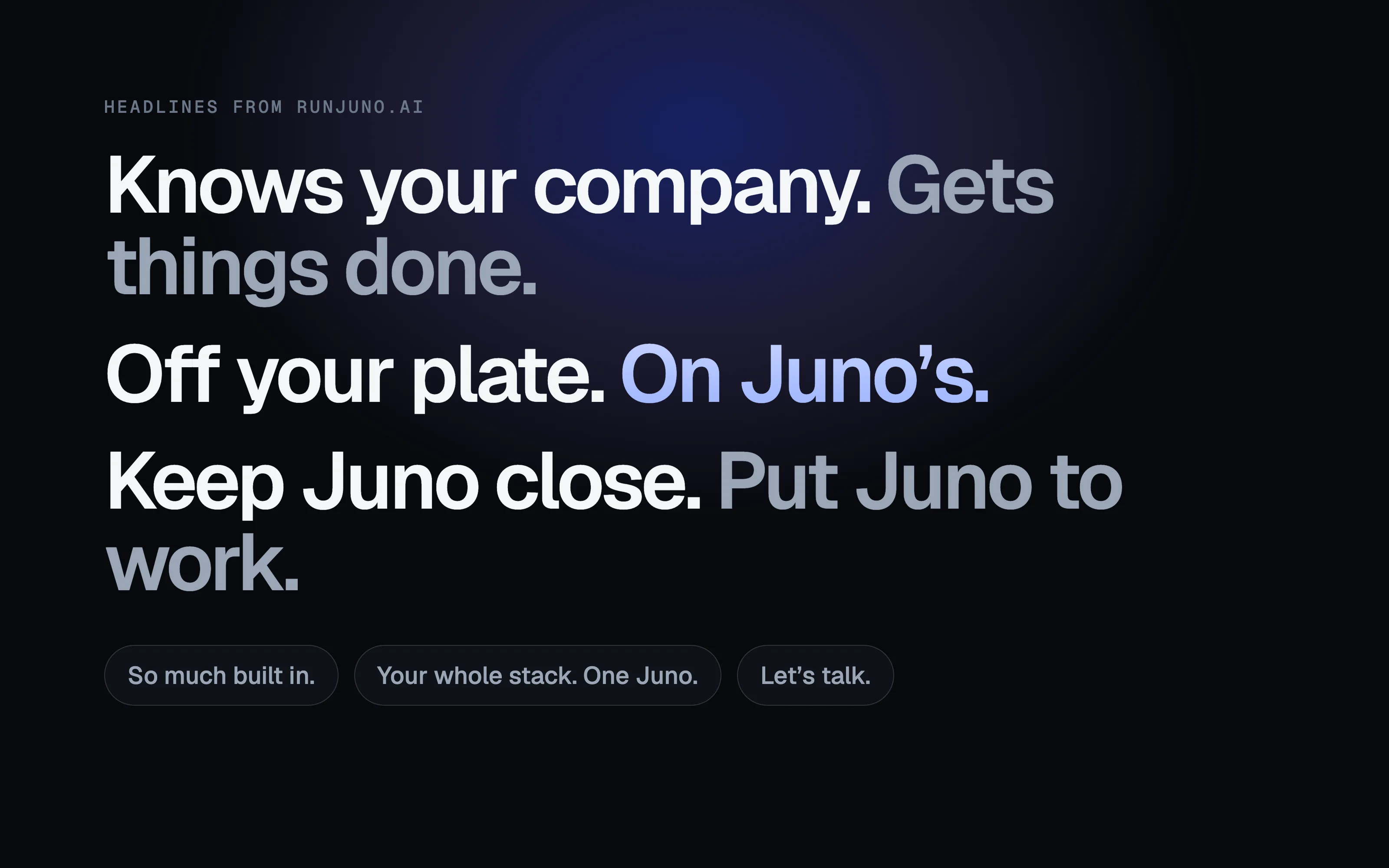
Copy voice
Short, human lines over feature lists.
Design system
Built to scale.
Color tokens, type scale, spacing and motion principles, plus core components: task cards, approval cards, chat mockups. Try it: copy a color, type over a line, or play the motion curves.
Color
Type · Geist Sans and Geist Mono
- Knows your company.Display XL · 48 to 88px
- Put Juno to work.Display L · 40 to 64px
- Your whole stack.Heading 2 · 28 to 36px
- Needs your yesHeading 3 · 20px
- Juno keeps up with your company.Body · 16 to 18px
- JUNO’S COMPUTEREyebrow · 12px
Radius
- 8px
- 12px
- 20px
- 28px
Motion
- Snap Quick UI responsescubic-bezier(0.3, 0, 0, 1)
- Base Most transitionscubic-bezier(0.2, 0.8, 0.2, 1)
- Calm Large, story-scale movescubic-bezier(0.16, 1, 0.3, 1)
Core components
Approval cards
Task cards
Chat mockups
Results
The client loved it.
The Juno team loved it.
Our product was hard to explain, and our old site made people work to get it. Natwic turned it into a story buyers understand in seconds, and they rebuilt all nine pages in a week.
- From kickoff to a launch-ready site
- 1week
- Rebuilt on one design system
- 9pages
- In a homepage told as a story
- 6beats
- Running through every page
- 1cast
Your turn
Have a product that’s hard to explain? Let’s make it obvious.
We design and build websites for startups and SaaS teams worldwide.
More work
All projects →
Next project
Unita