8 min read
Website Design Brief: Free Template and Filled Example
Write a website design brief that gets accurate quotes: the 10 sections to include, a filled-in SaaS example, and a free one-page template to copy.
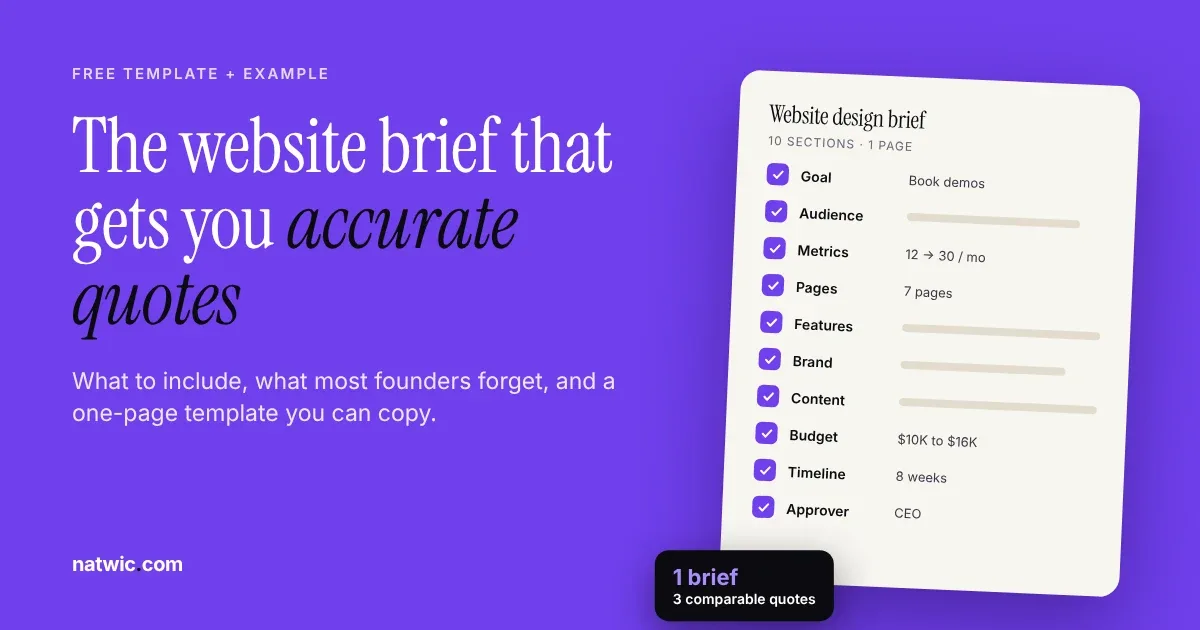
You asked three studios for a website quote and got back $6K, $18K, and $40K. That gap usually isn't about who's cheap or who's greedy. It means each studio guessed at a different project, because nobody gave them a website design brief to work from.
A good brief fixes that in one or two pages. Below, we'll show you exactly what to include, the parts most founders forget, a filled-in example you can copy, and a free one-page template.
The short answer: what a website design brief is
A website design brief is a one to three page document that tells a studio what your business does, who the site is for, what it needs to achieve, which pages and features it needs, your budget range, timeline, and who signs off. A clear brief gets you comparable quotes, a realistic timeline, and fewer revision rounds.
Why your brief decides your quote
Every studio prices risk. When a brief is vague, we have to assume the bigger version of your project, or we have to pad the quote to cover surprises. Either way, you pay for the guessing.
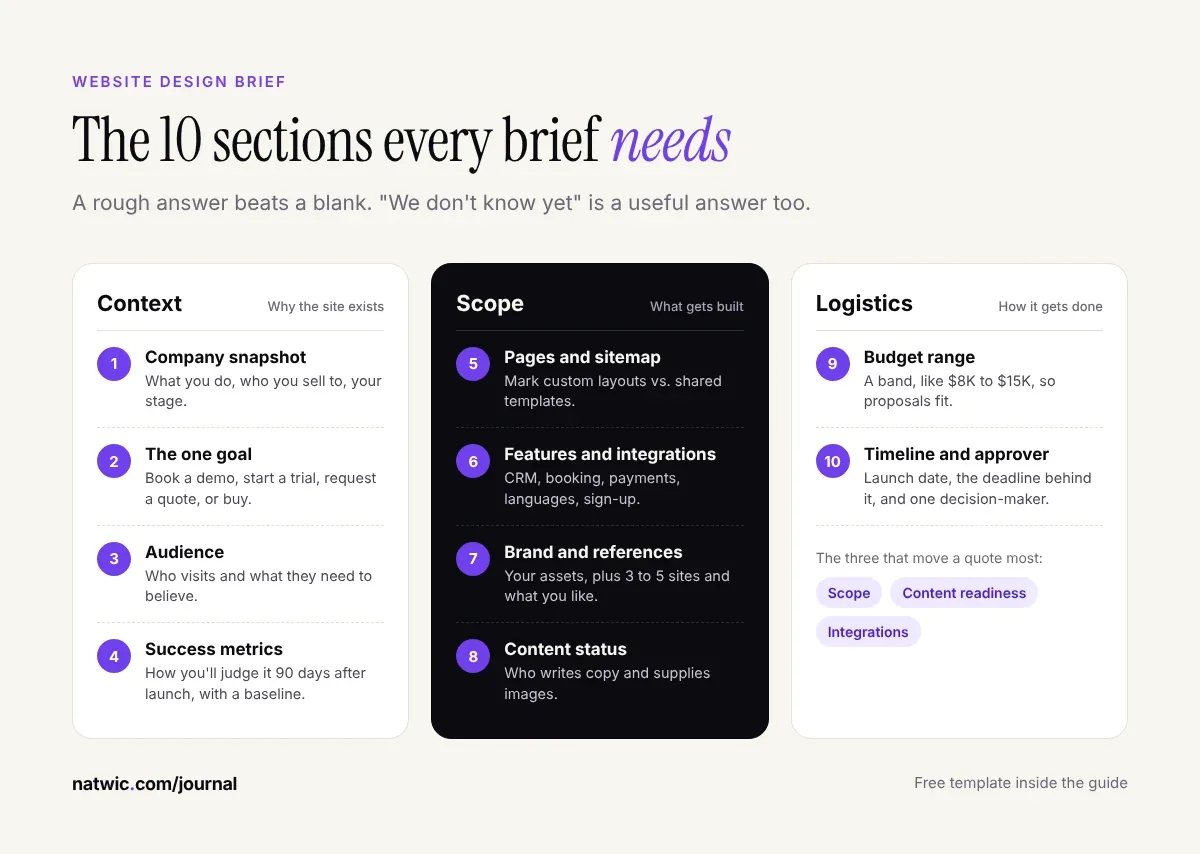
In our experience at Natwic, three things move a website quote more than anything else:
- Scope: how many unique page layouts you need, not just how many pages. Ten blog posts share one template. Ten landing pages with different structures don't.
- Content readiness: whether your copy, images, and logos exist yet, or someone has to create them.
- Integrations: CRM, booking tools, payments, product sign-up, or anything that connects your site to another system.
Nail those three in your brief and your quotes will land much closer together. Leave them out and you get the $6K to $40K spread.
Content readiness surprises founders the most. When we rebuilt the marketing site for Juno, an AI SaaS product, we shipped the structure with placeholder logos and testimonials so launch didn't wait on content. That only works when the brief says upfront what's ready and what isn't.
What to include in a website design brief
Here are the 10 sections we ask for. You don't need perfect answers for all of them. A rough answer beats a blank, and "we don't know yet" is a useful answer too.
1. Company snapshot
Two or three sentences: what you do, who you sell to, your stage, and what makes you different. Skip the history. We'll read your pitch deck if you have one.
2. The one goal of the site
Pick the single action that matters most: book a demo, start a free trial, request a quote, or buy. Sites that try to do five things equally well usually do none of them.
3. Audience
Who lands on the site and what they need to believe before they act. For SaaS, that's often two audiences: the person who uses the product and the person who approves the budget.
4. Success metrics
How you'll judge the site 90 days after launch. Demo requests per month, trial sign-ups, or qualified leads all work. Include your current numbers if you have them, even rough ones, so there's a baseline.
5. Pages and sitemap
A simple list is enough: Home, Product, Pricing, About, Blog, Contact. Mark which pages need custom layouts and which can share a template.
6. Features and integrations
List must-haves separately from nice-to-haves. Common ones: CMS for a blog, forms connected to your CRM, a booking tool, multiple languages, and product sign-up. If you need Arabic or another right-to-left language, say so on day one, because it shapes the whole build. We cover that in our guide to bilingual website design.
7. Brand and references
Share your logo, colors, and fonts if they exist, or say you need a brand identity too. Then add 3 to 5 reference sites with one line each on what you like about them. "Clean" tells us nothing. "The way this pricing page compares every plan in one table" tells us a lot.
8. Content status
Who writes the copy, who supplies photos and product screenshots, and what already exists. Be honest here. It's the most common reason launches slip.
9. Budget range
Give a band, like $8K to $15K. You won't get overcharged for sharing it. You'll get a proposal that fits it, plus a clear note on what you'd gain by stretching or what we'd cut to stay under it.
10. Timeline and decision-maker
Your target launch date, any hard deadline behind it (a funding round, a product launch, an event), and the one person who gives final approval. Feedback from five people with equal votes is how projects double in length.
A filled-in website brief example
Templates are easier to fill in when you've seen one done well. Here's a sample brief for a made-up B2B SaaS startup. It fits on one page and answers every question we'd ask on a first call.
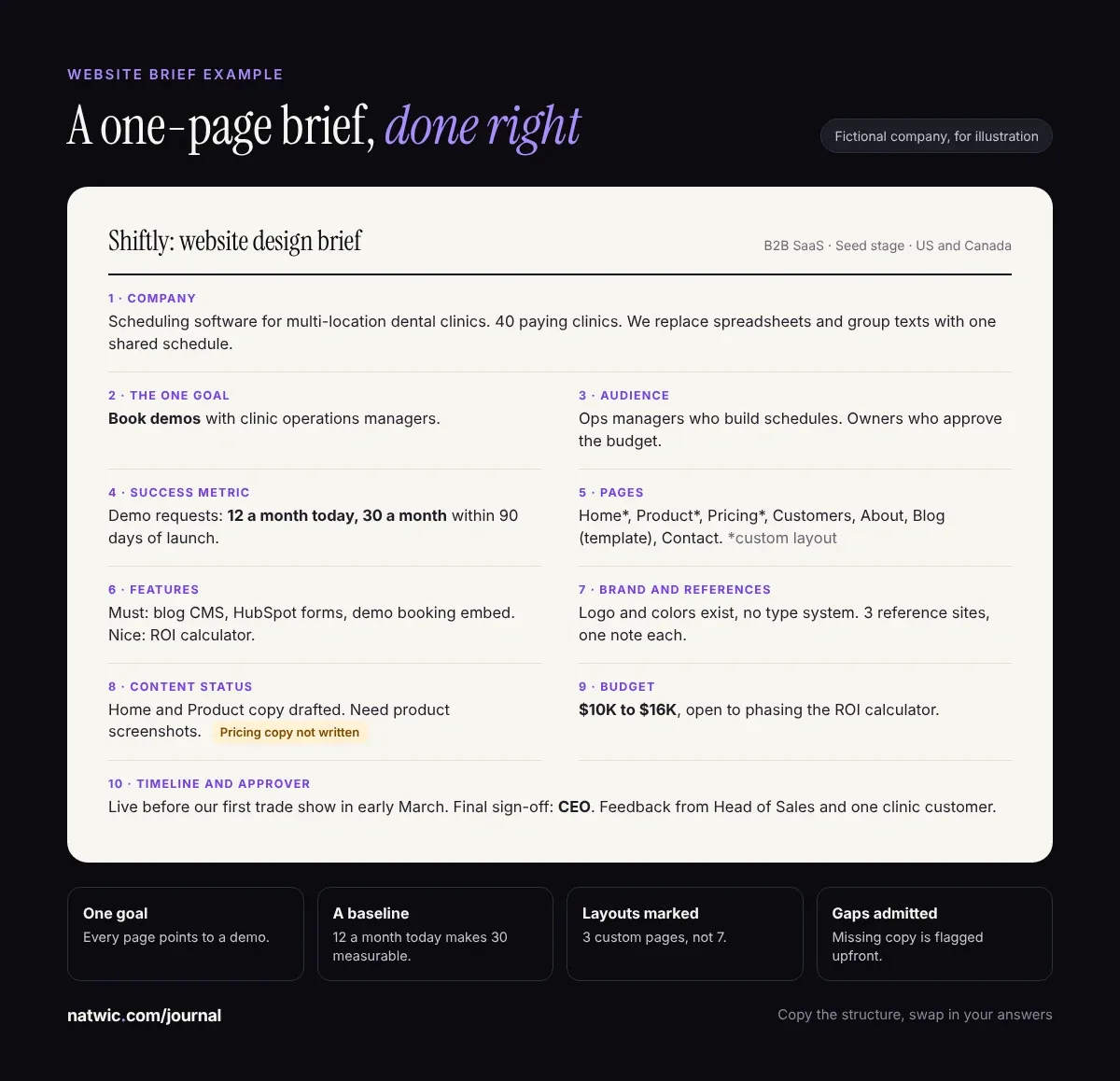
Notice what makes it work. There's one goal, a real baseline number, a short page list with layouts marked, and a budget band. It also admits what's missing: the pricing page copy isn't written yet. That one line saves a week of back and forth.
The parts most website briefs leave out
We read a lot of briefs. These five gaps come up again and again, and each one can cost you real money after launch.
Who owns the accounts
Your domain, hosting, CMS, analytics, and Google Search Console should be registered in your company's name, with your studio added as a user. Write that into the brief so it's agreed before work starts, not argued about when you change partners.
Accessibility
Name the standard you want. WCAG 2.2 Level AA is the current benchmark most teams aim for, and it was approved as the international standard ISO/IEC 40500:2025 last year, according to the W3C. If you sell to enterprise or government buyers, they may ask for it.
Performance targets
"Fast" is subjective. Core Web Vitals aren't. Google's "good" thresholds are a Largest Contentful Paint of 2.5 seconds or less, Interaction to Next Paint of 200 milliseconds or less, and Cumulative Layout Shift of 0.1 or less, per web.dev. Put them in the brief and you've defined fast.
A redirect plan for redesigns
If you're replacing an existing site, your old URLs have earned links and rankings. Google recommends mapping every old URL to its new one with permanent 301 or 308 redirects and keeping them for at least a year (Google Search Central). Ask for this in the brief, especially for a website redesign.
Who updates the site after launch
Will your marketing lead edit pages weekly, or will a developer handle changes? The answer decides the platform. A team that publishes often usually wants a visual CMS like Webflow. A team with product engineers might prefer Next.js with a headless CMS.
Website brief mistakes that make studios guess
- Adjectives instead of examples. "Modern, bold, premium" describes almost every website. Show references instead.
- "Make it like Apple." Apple's site works because of Apple's products and photography budget. Tell us what specifically you admire.
- Hiding the budget. It doesn't get you a better deal. It gets you proposals for three different projects.
- A feature list with no goal. Features without a goal turn into a long build that doesn't convert.
- Briefing by committee. One owner writes it, others review it, one person approves.
Free website brief template
Here's the one-page template we use with our own clients. Save the image, fill in each box in a doc, and send the same version to every studio you're talking to so the quotes are actually comparable.
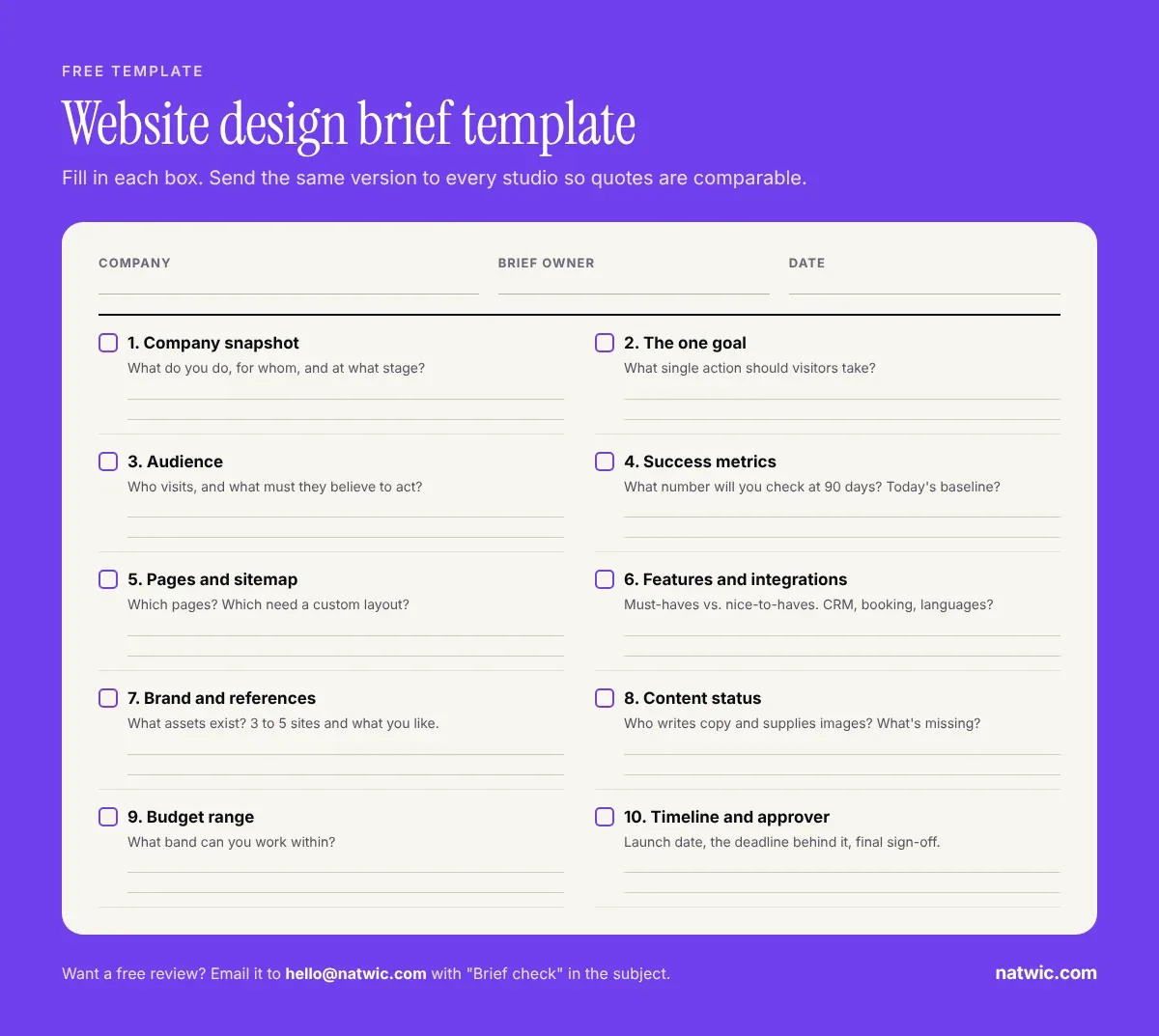
Want a second opinion first? Email your draft brief to hello@natwic.com with "Brief check" in the subject line. We'll reply with what's missing and which gaps are most likely to swing your quotes, for free.
FAQ
How long should a website design brief be?
One to three pages is right for most startup and small business sites. Longer briefs often bury the important answers. If you need more detail, attach it as an appendix, like a sitemap or a feature spec.
Who should write the website brief?
The person who owns the site's results, usually a founder or marketing lead. Others can add input, but one person should write it and one person should approve the final version.
Should I include my budget in a web design brief?
Yes. A budget range is the fastest way to get proposals you can compare. Without it, each studio scopes a different project, and you can't tell whether a price difference is about quality or scope.
What's the difference between a website brief and a scope of work?
You write the brief to explain what you need and why. The studio writes the scope of work, usually in the proposal, to define exactly what they'll deliver, when, and for how much. A clear brief leads to a clearer scope.
What happens after you send a brief to a design studio?
A good studio will book a short call to ask follow-up questions, then send a proposal with scope, timeline, and price. At Natwic, that's our Discover step, and we reply to every brief within one working day.
Do I need a sitemap before writing a brief?
No, a rough page list is enough. Part of a studio's job is to shape the final sitemap with you. Just list the pages you know you need and mark any you're unsure about.
Send a website design brief, get a quote you can trust
A website design brief isn't paperwork. It's the cheapest way to get accurate quotes, a realistic launch date, and a site built around one clear goal.
Got a draft, or just a few bullet points? Send it to us through natwic.com/contact or at hello@natwic.com. We'll come back within one working day with questions, a direction, and an honest view of what your budget can cover.
Related services
Need a hand with this?
Related posts
More from the journal.
9 min read
Bilingual Website Design UAE: Arabic and English Done Right
Bilingual website design in the UAE, explained for startups: when you need Arabic, the RTL rules to get right, SEO setup, and a free 12-point checklist.

9 min read
Startup Website Cost in Dubai: What to Budget in 2026
What does a startup website cost in Dubai? We compared six 2026 price guides and mapped what to spend at each stage, plus the costs quotes leave out.
Want us to build something like this for you?
Start a project→