8 min read
AI SaaS Website Design: How We Rebuilt Juno in a Week
A real AI SaaS website design case study: how we rebuilt Juno's nine pages in one week, the six-beat homepage story, and a free checklist to copy.
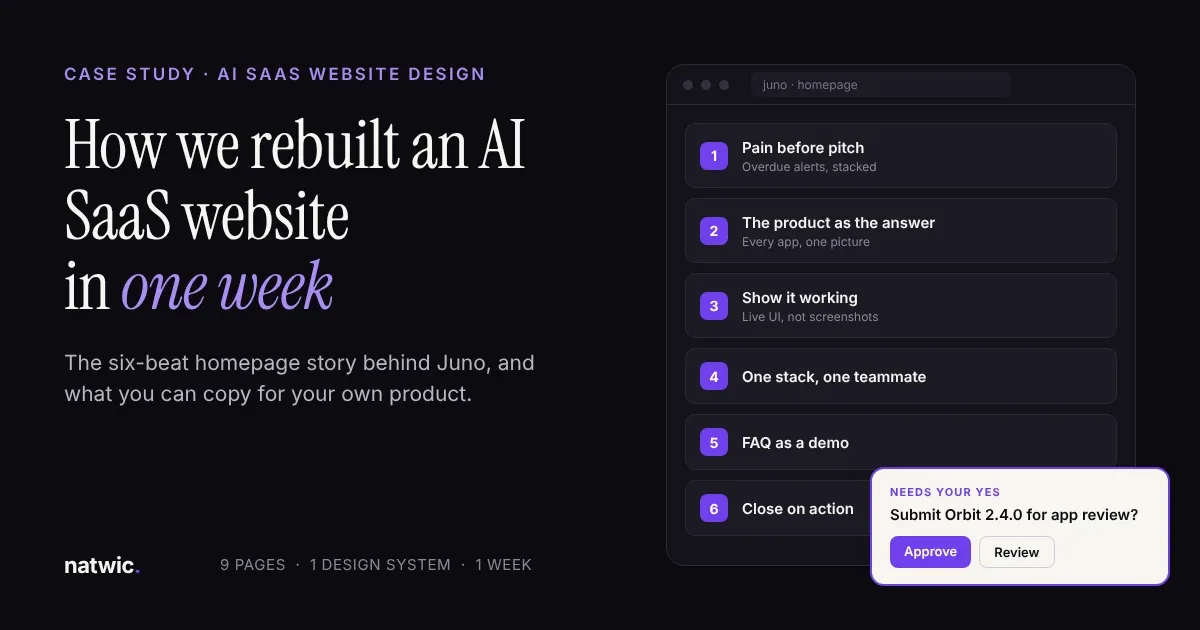
Most AI products have the same website problem. The product is impressive, and the homepage makes people work to understand it. "AI assistant" now describes thousands of tools, so a vague headline gets you lumped in with all of them.
That was the situation when Juno came to us. Below is the full AI SaaS website design breakdown: what we changed, the six-beat homepage story we built, the decisions that let us ship nine pages in one week, and a free checklist you can run on your own site today.
The short answer: what good AI SaaS website design does
Good AI SaaS website design shows the product working instead of describing it. Open on a problem your buyer already feels, introduce the product as the answer, prove it with live UI, show a human approving the AI's work, and close on one clear action. For Juno, we rebuilt nine pages around that idea in one week.
The problem: a strong product, a site that didn't explain it
Juno is an AI chief of staff for teams. It connects to the tools a company already runs on, like Slack, Gmail, HubSpot, and Linear, keeps up with what's happening, and gets work done across them.
The product was strong. The old website wasn't doing it justice. It opened on the promise instead of the problem, introduced a new sample brand in almost every section, had no FAQ, and ended on "Imagine having Juno on your team." Visitors had to assemble the story themselves.
That's a costly ask. Nielsen Norman Group found that users often leave web pages in 10 to 20 seconds, and that pages with a clear value proposition hold attention far longer. For an AI product, there's a second hurdle: B2B buyers need to trust the thing before they let it touch real work.
Before and after: what we changed
We kept the product and the core promise. We changed the order, the proof, and the tone.
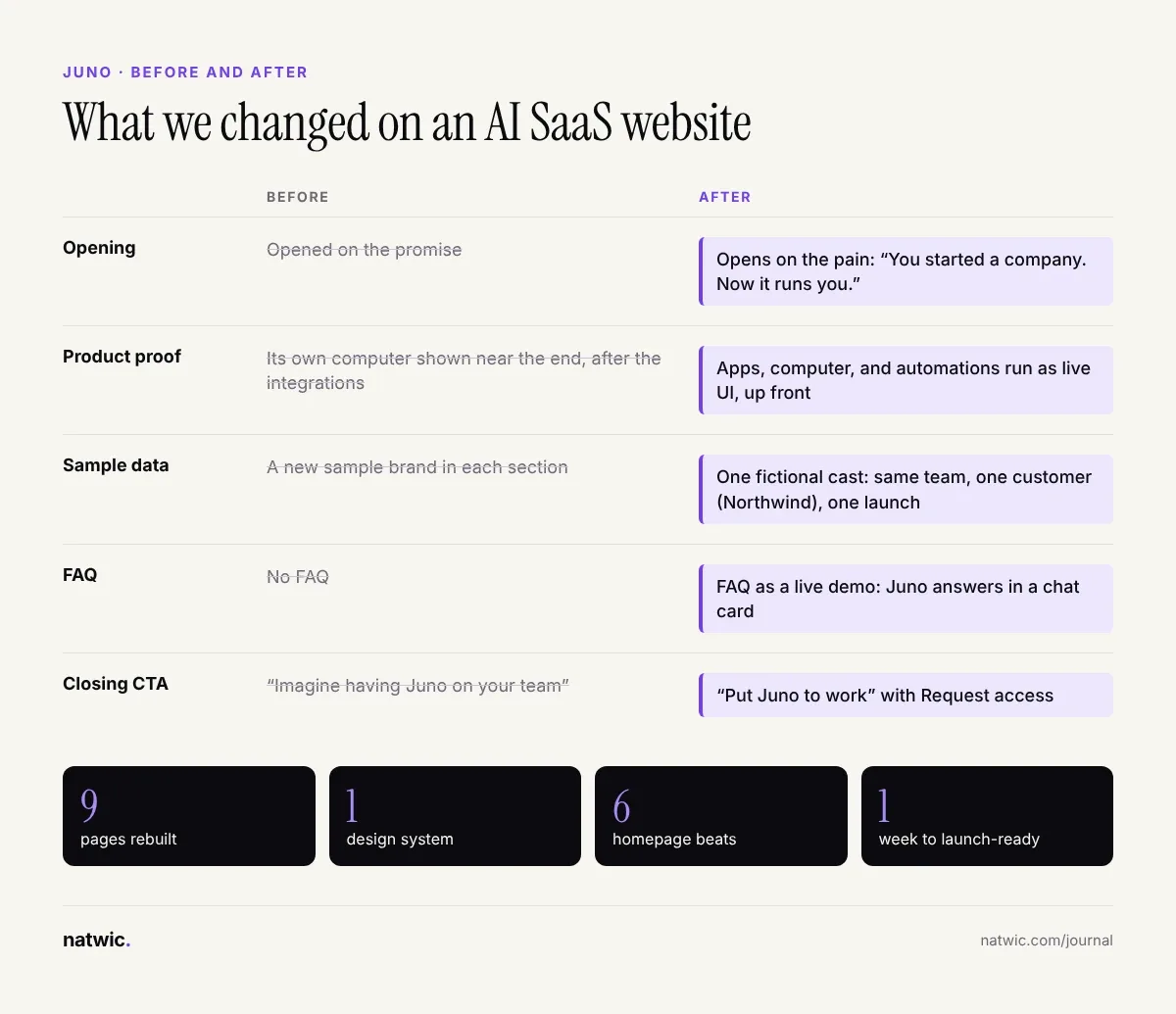
The biggest shift was structural. The old site described Juno, then showed it. The new site shows Juno solving a problem you recognize, then lets you test it in the FAQ. Same product, very different first 20 seconds.
The six-beat homepage story we built for Juno
We rebuilt the homepage as a story with six beats. Each beat has one job, and each one sets up the next.
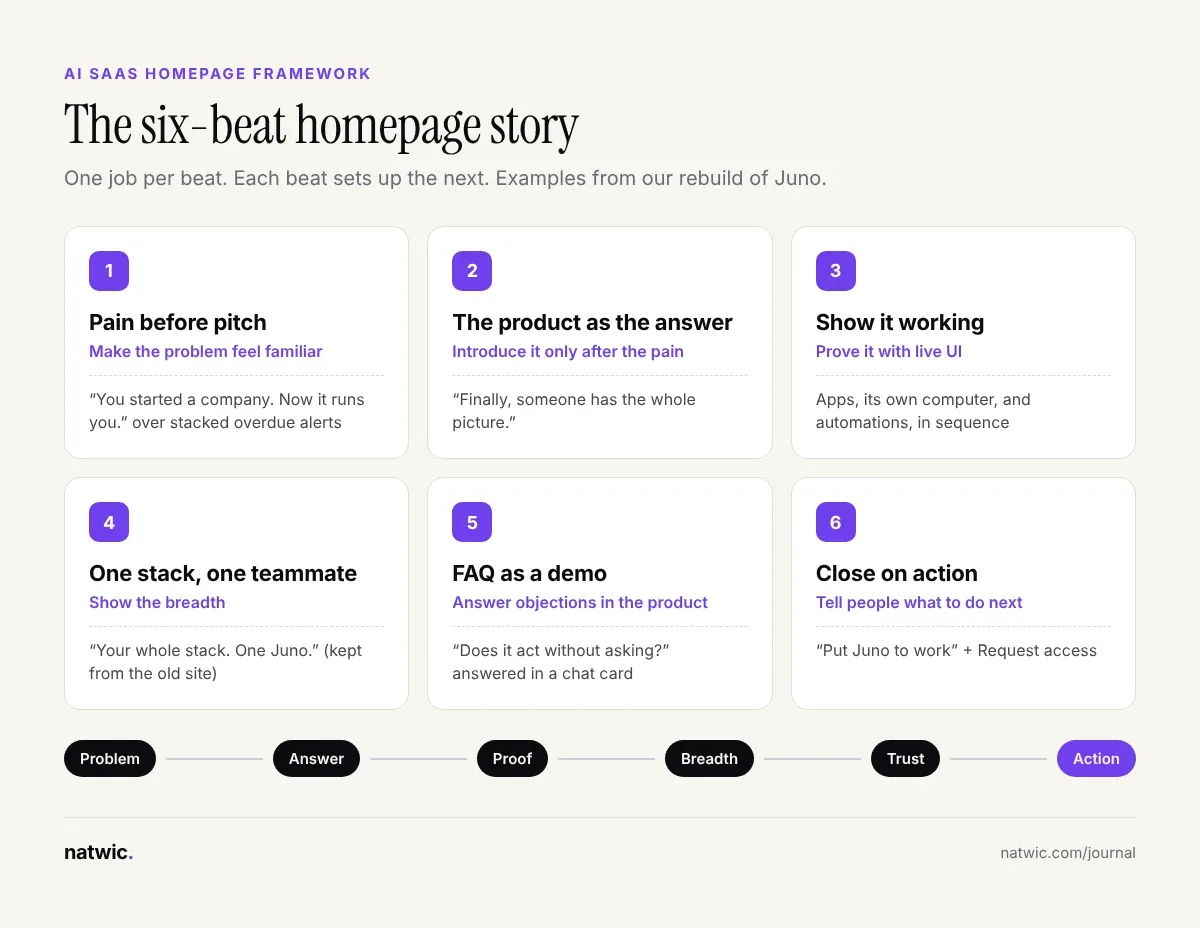
1. Pain before pitch
The page opens on stacked overdue alerts from Slack, Gmail, HubSpot, and Linear, under the line "You started a company. Now it runs you." Before we say anything about AI, the founder reading it already nods.
2. The product as the answer
Only then does Juno appear, with its mascot surrounded by the apps it connects to: "Finally, someone has the whole picture." The pain makes the promise land.
3. Show it working
Juno's apps, its own computer, and its scheduled automations run as live UI, one after another. On the old site, the computer sat near the end, after the integrations. We moved the most surprising capability up, where people actually see it.
4. One stack, one teammate
"Your whole stack. One Juno." came straight from the old site. It was good, so it stayed. A redesign isn't a reason to throw out lines that already work.
5. The FAQ as a demo
Visitors pick a question, and Juno answers it in a chat card. One of them is "Does it act without asking?" The FAQ handles objections and demonstrates the product at the same time. The old site had no FAQ at all.
6. Close on action
"Imagine having Juno on your team" became "Put Juno to work," with a Request access button. Imagining is passive. A closing line should tell people what to do next.
The design decisions behind a one-week build
Nine pages in a week only works when you stop making the same decision nine times. These are the calls that made it possible.
Rules before pages
We wrote the tone and design guidelines first, designed the homepage second, then applied the system across the other eight pages. Every later page was assembly, not reinvention.
One theme, dark mode only
We designed Juno in dark mode only. Our take: one theme also means one set of color tokens to design, test, and check for contrast, which matters when the clock is short.
Animation that explains, never decorates
The homepage is animation-heavy, but every motion carries information: alerts piling up, tasks moving, approvals arriving. If an animation doesn't teach something, it goes.
Two things we recommend for any motion-heavy AI site. Respect the `prefers-reduced-motion` setting, which the W3C lists as a technique for WCAG 2.3.3, Animation from Interactions. And keep an eye on speed: Google's "good" threshold for Largest Contentful Paint is 2.5 seconds or less, per web.dev.
One fictional company across every page
The old site introduced new sample brands section by section. We built one fictional cast instead: the same team members, one customer called Northwind, and one launch running through all nine pages. Visitors learn the cast once, then follow the story.
Placeholders so structure could ship
We used placeholder logos and testimonials so the site could launch before final content was ready. The layout is built for proof, and the real proof drops in as it arrives.
The trust pattern every AI SaaS website needs
The most common objection to an AI product isn't "can it do this?" It's "will it do something without me?"
So we built an approval card, labeled "Needs your yes," and repeated it on every page. On the homepage, Juno asks "Submit Orbit 2.4.0 for app review?" with Approve and Review buttons. That small card shows a human stays in control, which beats a paragraph claiming it.
It sits inside a compact design system:
Color tokens: background, two surface levels, text, muted text, plus blue, cyan, violet, success, warning, and danger
Type: Geist Sans and Geist Mono, with display, heading, body, and eyebrow scales
Motion: three easing curves, named Snap for quick UI responses, Base for most transitions, and Calm for large story moves
Core components: approval cards, task cards, and chat mockups
You can see the full project in our Juno AI SaaS case study.
What to copy for your own AI product website
You don't need a mascot or a one-week sprint to use what worked here. In our experience, these moves help almost any AI SaaS site:
Lead with the pain, not the model. Nobody buys "agentic workflows." They buy back their Monday.
Replace static screenshots with live or animated UI that shows input, action, and result.
Use one fictional customer everywhere, so every example adds to the same story.
Design a visible approval moment that shows where the human says yes.
Turn your FAQ into proof by answering the scariest objections in the product's own interface.
Keep lines that already work. Redesign the structure, not the parts people remember.
If you're planning a rebuild, start with a clear website design brief so every studio quotes the same project. And if you want a team that's done this for an AI product, our SaaS website design service is built around exactly this kind of work.
Free AI SaaS homepage checklist
Run your homepage through these ten checks. If you can't tick at least seven, the site is probably making visitors work too hard.
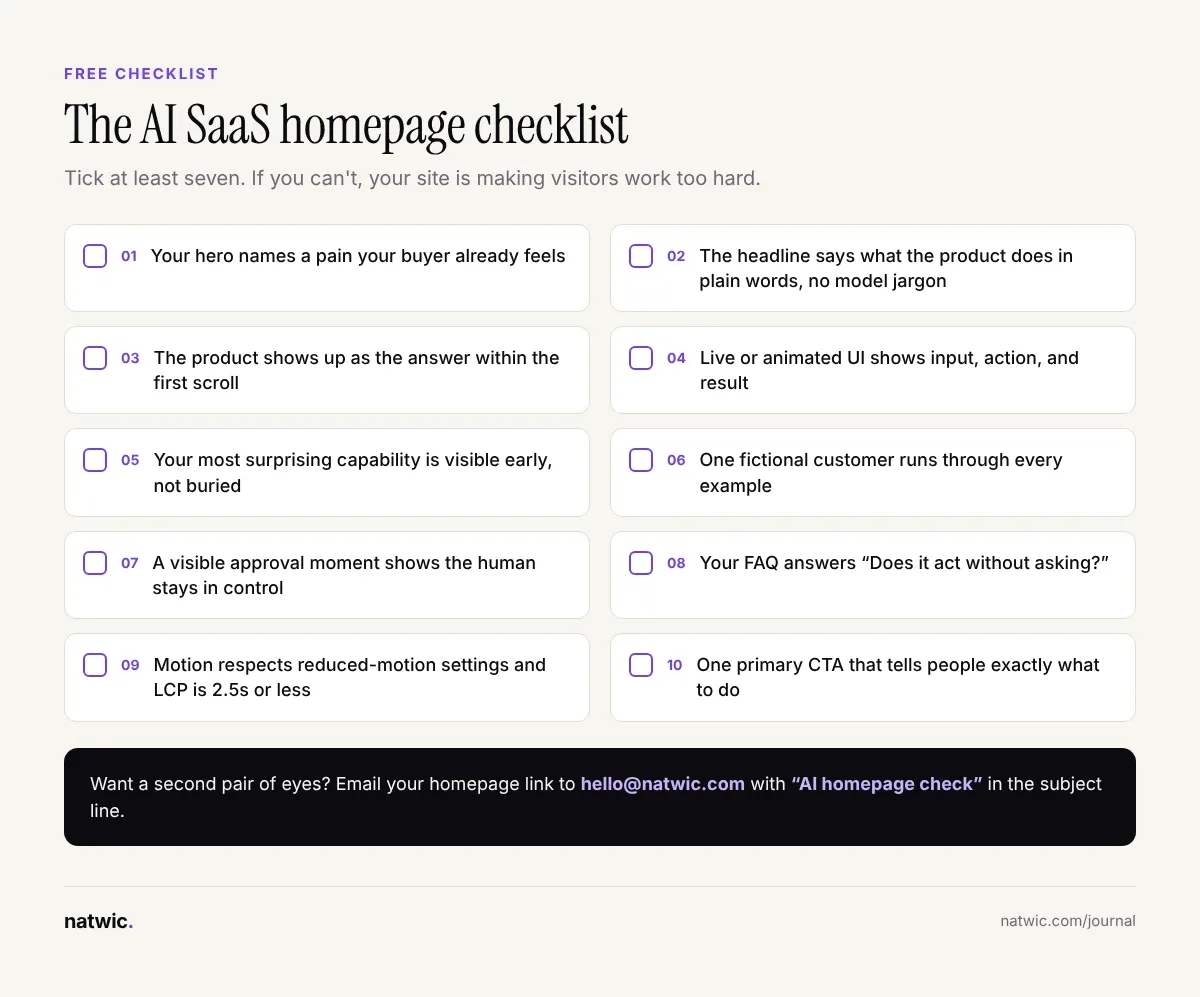
Want a second pair of eyes? Email your homepage link to hello@natwic.com with "AI homepage check" in the subject line. We'll send back the three changes we'd make first, for free.
FAQ
How do you explain an AI product on a website?
Start with the problem your buyer already has, then show the product solving it with real or realistic UI. Skip model names and technical jargon above the fold. Buyers care about the outcome, and they understand it fastest when they can see it happen.
Should an AI SaaS website use dark mode?
It depends on your brand and audience, not the category. Dark mode suits products that live alongside developer and productivity tools, and it can make live UI pop. For Juno, we went dark mode only, which also kept the design system to one set of tokens.
How long does it take to design an AI SaaS website?
Juno's nine pages took one week from kickoff to launch-ready, because the product already existed and we set the rules before designing any pages. Most startup sites take longer, usually because content and approvals take time. A clear brief shortens both.
Are live UI demos better than product screenshots?
Usually, yes. A static screenshot shows what a screen looks like, while live or animated UI shows what the product does. Keep each demo short, focused on one task, and make sure it respects reduced motion settings.
How do you build trust on an AI product website?
Show control, not just capability. Approval steps, clear answers to "does it act without asking?", security and privacy details, and real customer proof all help. Repeating one trust pattern across pages makes it stick.
Can you launch an AI SaaS website before you have customer logos?
Yes. Design the layout for proof, use clearly temporary placeholders during the build, and swap in real logos and testimonials as you earn them. Never publish fake logos or invented testimonials.
Make your AI SaaS website explain itself
Good AI SaaS website design isn't about gradients or glowing orbs. It's about getting a skeptical buyer from "what is this?" to "I want that" in the first 20 seconds, and then giving them a reason to trust it.
If your product is ahead of your website, tell us about it. Send a note through natwic.com/contact or email hello@natwic.com, and we'll reply within one working day with a first take on what your homepage story should be.
Related services
Need a hand with this?
Related posts
More from the journal.
8 min read
Webflow vs Next.js for Startups: Which to Pick in 2026
Webflow vs Next.js for your startup site: a side-by-side comparison, real 2026 platform costs, when to use both, and a free scorecard to decide.
8 min read
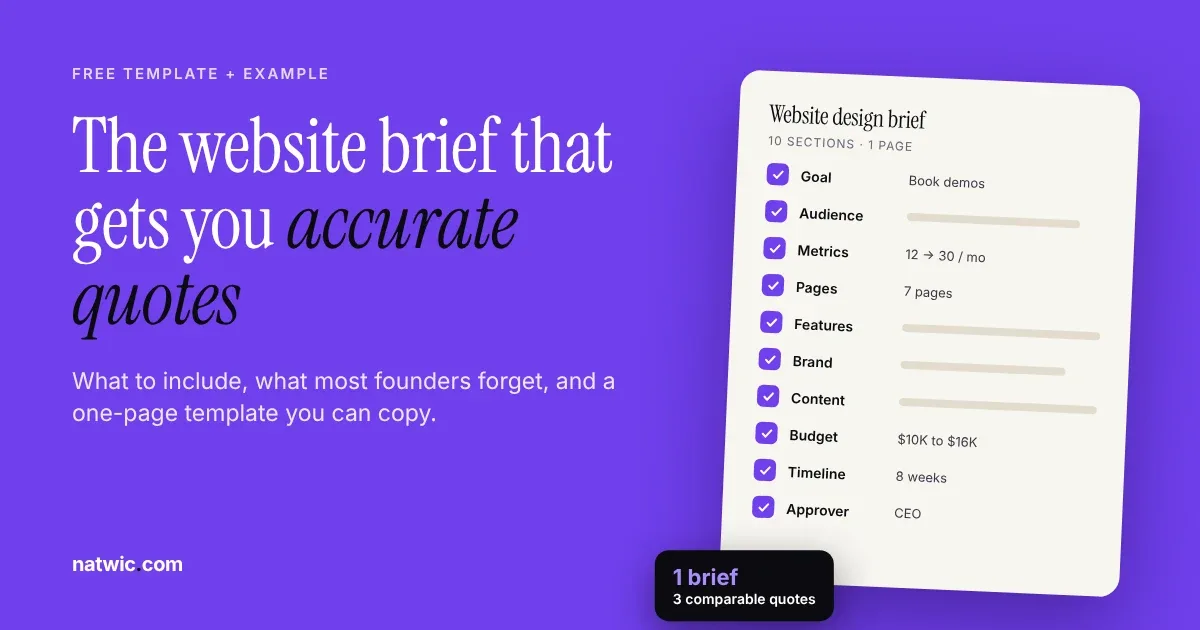
Website Design Brief: Free Template and Filled Example
Write a website design brief that gets accurate quotes: the 10 sections to include, a filled-in SaaS example, and a free one-page template to copy.
9 min read
Bilingual Website Design UAE: Arabic and English Done Right
Bilingual website design in the UAE, explained for startups: when you need Arabic, the RTL rules to get right, SEO setup, and a free 12-point checklist.
Want us to build something like this for you?
Start a project→